

TL;DR: A canary that runs in one zone inherits that zone's blind spots. A green canary dashboard cannot prove safety in a multi-zone API server. The fix is delta-based canary analysis, canary error rate vs. baseline, sustained over a rolling window. Add zone-spread canary traffic. Add auto-rollback on per-zone divergence.
Key Takeaways: - A canary group is not a canary zone. A canary running in a single zone will never see failures that only manifest in other zones. - The real signal is the sustained delta between canary and baseline error rates, not the canary's absolute count. - Spread canary pods and traffic across at least two zones, measure per-zone divergence, and auto-roll back on SLO breach, not on aggregate error count.
A canary ran green through its evaluation window in a multi-zone API server fleet. The dashboard said healthy. Two zones (use1a1 and rs2) were already returning 500s. The canary never saw it.
The Canary Was Green. Two Zones Burned Anyway
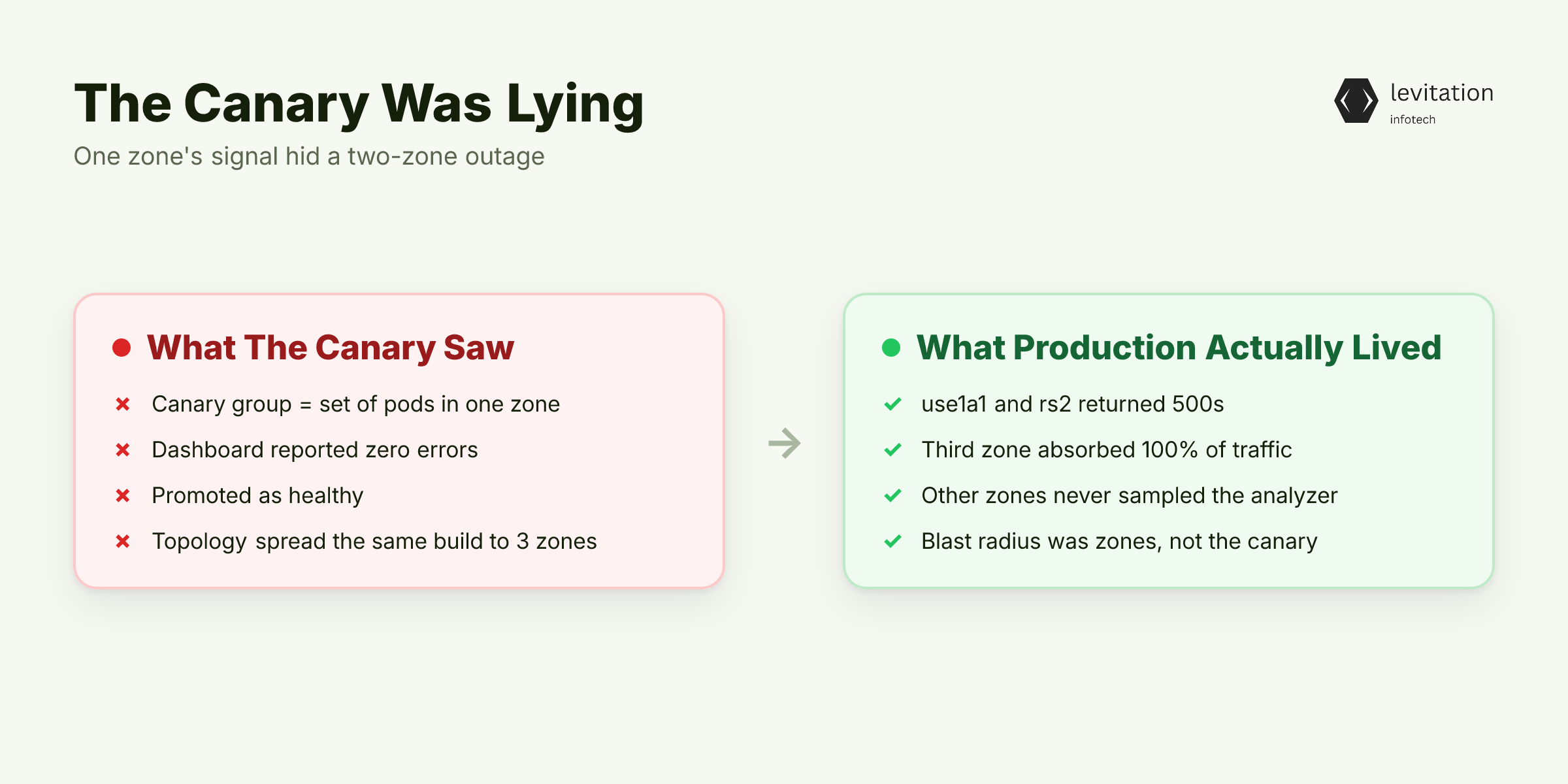
The Sev2 happened in the gap between two dashboards. The canary dashboard reported zero errors. The production dashboard, after the canary promoted, lit up with 500s from use1a1 and rs2 while the third zone carried the load.
Here's the confusion that kills: a canary group is not a canary zone. A canary group is a set of pods running the new version. A canary zone is a failure-isolation boundary, an availability zone. The canary group in this incident was scheduled into a single zone by default topology behavior.
The other two zones, which received the same canary version at the same time, never sent a single sample back to the canary analyzer. The blast radius wasn't the canary. It was the gap between what the canary saw and what production actually experienced.
The canary thought it was healthy because its one zone was healthy. Two other zones, receiving the same code path, were already broken. The deployment controller kept promoting.
If you treat your zero-trust observability for control-plane traffic as a given, this is the blind spot. Your trust model assumes every zone behaves identically. It doesn't. And your canary proved it.
The canary itself wasn't broken. The signals it was reading were.
Why Zone Affinity in Canary Analysis Is the Silent Killer
Most canary setups work the same way. You label a few pods as canaries. You send a small slice of traffic to a canary service. You watch error rates climb. When they don't climb, you promote.
The hidden problem: that canary service endpoint often lands in one zone. Default Kubernetes scheduling, sticky load-balancing sessions, and topology spread constraints that nobody configured all conspire to park your canary sample in a single failure-isolation boundary.
When the canary lives in one zone, it inherits that zone's conditions: - Healthy network paths - Healthy storage volumes - Healthy node conditions - Healthy etcd quorum
Zone-specific failure modes (storage degradation in one zone, consensus issues in another, clock skew in a third) never reach the canary's error budget. The canary's "green" status is structurally incomplete because it can't see failures in zones it doesn't run in.
A canary running in zone X cannot detect a failure that only manifests in zones Y and Z. Two patterns worth understanding: multi-zone failure isolation in custom backend systems and service mesh and mTLS patterns for control plane hardening. The mesh patterns change what "traffic" means between zones.
The mesh sees the cross-zone call. Your canary analyzer doesn't. The fix isn't more canary traffic. It's a different signal entirely.
The Signal Is the Delta, Not the Absolute Count
Absolute error rate fails the moment you turn it on. Baseline traffic already carries noise from retries, garbage connections, and edge cases. A canary with a small bump in error rate over baseline looks meaningful in isolation. But if your baseline runs at a similar rate, that bump is usually within noise.
The real signal is the sustained delta between canary error rate and baseline error rate over a rolling window. Long enough that transient spikes get washed out, short enough that real damage doesn't pile up. The window depends on your traffic volume and how much error budget you can afford to spend before reacting.
Here's the mechanism: when canary error rate exceeds baseline error rate by a sustained, configured margin, that's real divergence. The margin must outlast the natural noise floor of baseline traffic. Hard threshold rules can't tell noise from divergence. A delta rule can.
The divergence threshold (canary errors meaningfully above baseline errors, sustained over a rolling window) catches zone-specific failures that absolute thresholds miss. This is the difference between a canary that "looks healthy" and a canary that "behaves like the baseline plus a safe margin."
The architecture implications matter. Your API and backend engineering for distributed systems choices determine whether you can decompose metrics per zone in the first place. If your tracing doesn't carry a zone label, the delta is invisible.
Delta analysis is the insight. Zone-spread canary traffic is what makes the insight actionable.
Spread Canary Traffic Across Zones Before You Spread It Across Pods
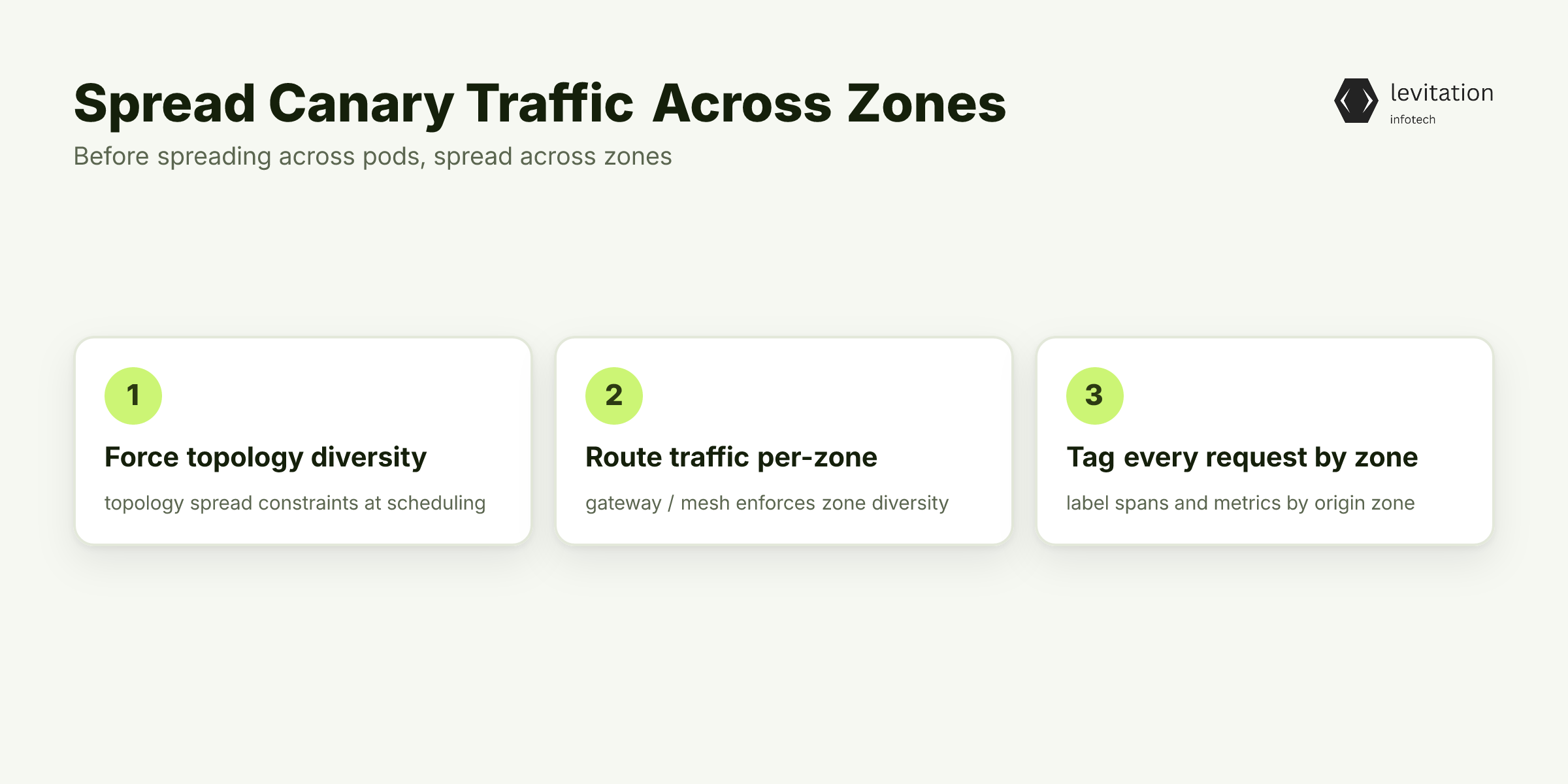
Three steps. None of them are about adding more pods. They're about making sure the pods you have see what production sees.
Step 1: Force topology diversity at scheduling. A canary deployment that schedules all pods in one zone is a canary that can't fail. Use topology spread constraints to guarantee canary pods land in at least two zones from the start.
1apiVersion: apps/v12kind: Deployment3metadata:4 name: apiserver-canary5 labels:6 version: canary7spec:8 replicas: 69 template:10 spec:11 topologySpreadConstraints: - maxSkew: 112 topologyKey: topology.kubernetes.io/zone13 whenUnsatisfiable: DoNotSchedule14 labelSelector:15 matchLabels:16 version: canary
With `maxSkew: 1` and `DoNotSchedule`, Kubernetes won't let a canary pod land in a zone that's already one pod ahead. You get balanced distribution or the pod doesn't run.
Step 2: Route traffic with zone diversity enforced. Your gateway or service mesh needs to spread canary traffic across zones, not just across pods. Round-robin works. Consistent-hash with zone diversity enforcement works. Zone-affinity routing does not.
Step 3: Tag every request with its origin zone. Without a zone label on every span and metric, you can't decompose error rates per zone. The canary-vs-baseline delta becomes an aggregate, and you're back to the Sev2.
Teams that adopt zone-spread canary analysis report that the zone-local failure mode gets exposed before the canary promotes, which is the whole point. The pattern holds because the failure mode that lives in one zone gets surfaced by metrics that span all zones.
The details of microservices deployment patterns for regulated platforms shape which of these steps you can skip. The details of observability and IAM for multi-zone control planes shape which you can't.
What a Zone-Aware Canary Pipeline Actually Looks Like
Four pieces: topology, metrics, alerts, rollback. Each one enforces the zone-awareness the canary group lost.
Topology constraint (Kubernetes):
1spec:2 topologySpreadConstraints: - maxSkew: 13 topologyKey: topology.kubernetes.io/zone4 whenUnsatisfiable: DoNotSchedule5 labelSelector:6 matchLabels:7 app: apiserver8 track: canary
Prometheus recording rule (per-zone delta):
1groups: - name: canary.zone.delta2 interval: 30s3 rules: - record: canary:error_rate:by_zone4 expr: |5 sum by (zone, version) (6 rate(http_requests_total{job="apiserver",status=~"5.."}[5m])7 )8 /9 sum by (zone, version) (10 rate(http_requests_total{job="apiserver"}[5m])11 ) - record: canary:delta_ratio:by_zone12 expr: |13 canary:error_rate:by_zone{version="canary"}14 /15 on(zone) canary:error_rate:by_zone{version="baseline"}
Alertmanager rule (sustained divergence, per zone):
1 expr: canary:delta_ratio:by_zone > 12 for: 5m3 labels:4 severity: critical5 annotations:6 summary: "Canary error rate exceeds baseline in zone {{ $labels.zone }}"
Auto-rollback hook: wired to the deployment controller. Triggers on SLO breach (sustained divergence), not on absolute error count. The rollback targets only the canary version, in only the divergent zone, not the entire fleet.
Get this right and the next bad canary never reaches a second zone.
From Sev2 in Two Zones to Zero Customer Impact
The pattern that works: a zone-aware canary catches the failure early. It rolls back before promotion. The customer never sees the 500s.
The on-call engineer's first page isn't a customer escalation. It's an automated rollback confirmation. "Canary rolled back in zone rs2 due to sustained divergence. No customer-facing impact." That's the page. That's the win.
The architecture pattern that makes this possible is secure cloud infrastructure for regulated industries, where per-zone isolation, per-zone metrics, and per-zone rollback hooks are first-class. The stakes change what "good enough" means.
This is the pattern that separates canary deployments that ship safely from canary deployments that ship and pray.
Frequently Asked Questions
Q: What is the difference between a canary group and a canary zone in Kubernetes?
A canary group is a set of pods running the new version, selected by labels or a separate deployment. A canary zone is a failure-isolation boundary, an availability zone. A canary group can run entirely inside one zone, which means its signals are blind to failures in other zones.
Q: How do you limit the blast radius of a bad canary deploy in a multi-zone API server?
Spread canary pods across at least two zones using topology spread constraints, route traffic with zone diversity enforced, and measure the canary-vs-baseline error rate delta per zone. Auto-rollback on sustained divergence in any single zone, not on the aggregate.
Q: Why does a green canary dashboard not prove a deploy is safe?
A canary dashboard shows the error rate of the canary sample, not the divergence between canary and baseline. If the canary sample is in a single zone, it can show green while zones with the new version are already returning 500s.
Q: What threshold should trigger an automatic canary rollback?
A sustained delta where canary error rate exceeds the baseline error rate by a configured margin, sustained over a window of minutes, evaluated per zone. Absolute thresholds like "more than X% errors" are too noisy and will either over-trigger or miss zone-specific failures.
Q: How long does it take to set up zone-aware canary analysis?
It depends on your existing telemetry, rollout tooling, and team capacity. A platform team that already has per-zone metrics and a working deployment controller can add the delta analysis and zone-spread constraints step by step. The gap is in the telemetry plumbing, not the algorithm.
Run this checklist against your canary setup before the next deploy.
Sources
Research and references cited in this article:
- How to Handle Canary Deployments
- Canary Deployment on Kubernetes: Progressive Rollout Explained | SFEIR Institute
- Canary Deployment In Kubernetes: The Basics And A Quick Tutorial | Octopus Deploy
- What is Canary Deployment? A Complete Guide
- Kubernetes Canary Deployment in 5 Minutes | Kong Inc.
- Intermittent Usage API 500 Errors
- Canary Deployments: Your Safety Net Against Production ...
- 500 Internal Server Error | Apigee Edge | Apigee Docs
- 500 Internal Server Error: Common Causes, and How to Fix It
- Reduce the Blast Radius of a Bad Deployment with Automated Canary Analysis
- Advanced Multi-AZ Resilience Patterns
- Canary Deployment Strategies: Mitigating Outages and Enhancing Reliability | OpsMx Blog
About the author
Mayank Singh is a software developer at Levitation Infotech, where he builds web and AI-powered applications across the company’s fintech, healthcare, and enterprise projects.