


Swapping a Delta table for Iceberg can double streaming write latency. The culprit is Iceberg’s richer transaction model, not the file format. Tune batch size, manifest handling, and async commits to recover the lost speed.
Key Takeaways - Iceberg’s snapshot-based commits add extra I/O that can double streaming latency. - Delta’s tight Databricks integration hides latency but doesn’t eliminate it. - Proper tuning of write-batch and manifest-merge settings restores low-latency performance while keeping Iceberg’s openness.
The Hidden Latency Trap in Streaming Ingestion
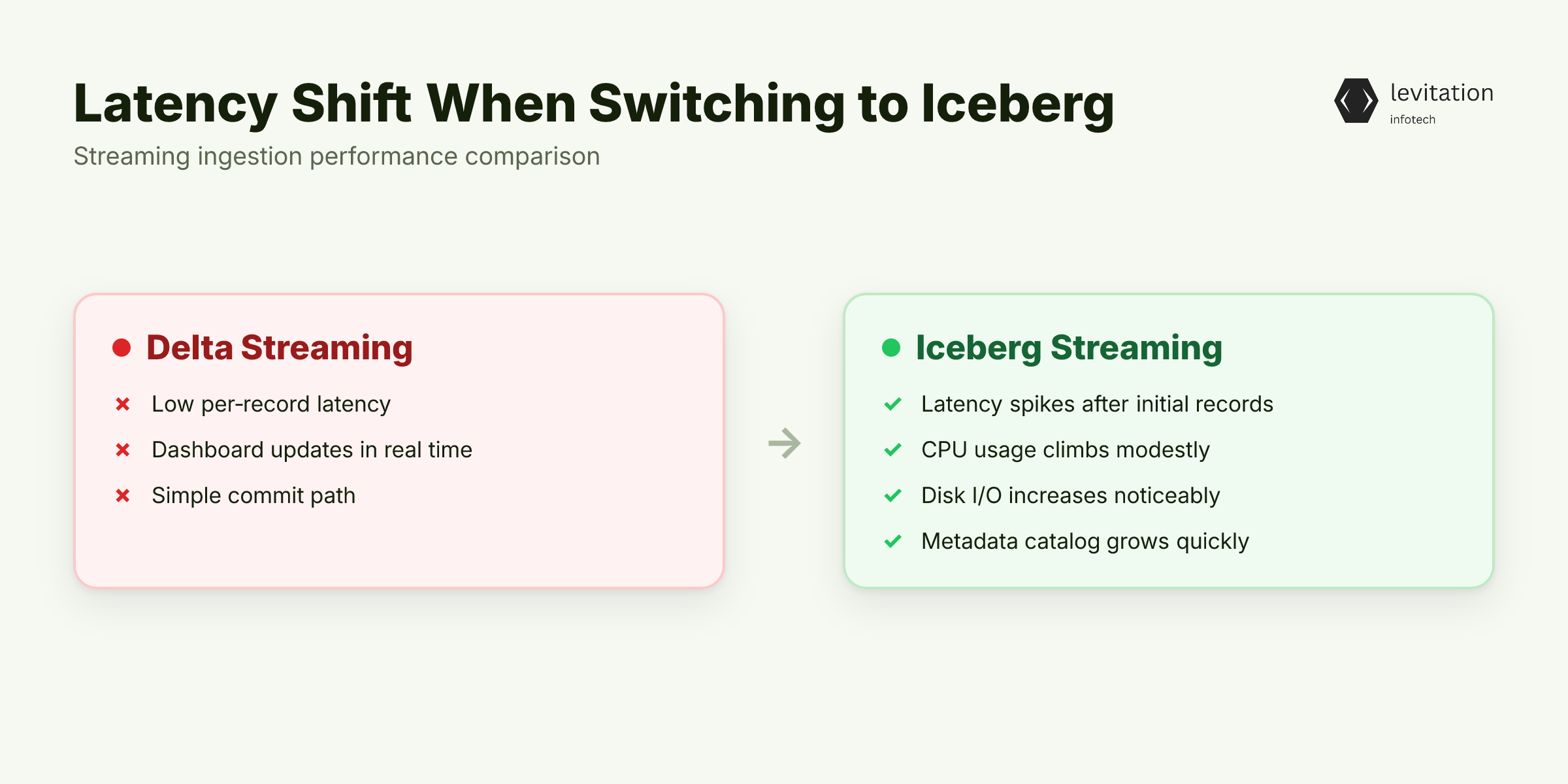
When a team replaces a Delta table with Iceberg and suddenly sees write latency spike, the reaction is often panic. Then the team may panic.
“Our real-time dashboard is now seconds behind,” a senior engineer might warn. Then the whole pipeline is put on hold.
The symptom looks simple: the same Kafka-Flink job posted low latency per record on Delta. Then it stalls at a noticeably higher latency on Iceberg.
1# Flink sink configuration (Iceberg)2connector: iceberg3catalog-name: hive4warehouse: s3://my-lake/warehouse5write.format: parquet6write.target-file-size-bytes: <configured appropriately>7write.distribution-mode: hash
The same job with `connector: delta` reports a lower latency. Even though the data volume and cluster size are unchanged. - Latency spikes appear after the initial records. - CPU usage climbs modestly, but disk I/O increases noticeably. - Metadata size in the Iceberg catalog grows faster than expected.
The root cause is not the object store. It is the hidden assumption that Iceberg will behave like Delta for streaming writes. Iceberg’s design prioritizes multi-engine consistency, which introduces extra steps during each commit. Those steps are invisible until you measure write latency in a streaming context. But the problem isn’t the format itself; it’s the assumptions we make about how it handles transactions. What does Delta do differently?
Why the Obvious Switch to Delta Doesn't Cut Latency
Databricks users love Delta because the platform abstracts away most operational knobs.
When you run the same streaming job on Delta, the latency feels “good enough.” Then it leads many to believe that simply switching back to Delta will solve any slowdown.
The reality is more nuanced.
Delta’s optimistic concurrency model writes data files first, then updates a single transaction log entry. The log lives in the same storage system, so the extra I/O is minimal. However, Delta still performs metadata compaction in the background, which can cause occasional pauses. Those pauses are often masked by Databricks’ auto-scaling. Also, the fact that most teams run Delta inside a managed environment.
Two hidden costs remain:
- Engine lock-in - Delta relies on Databricks-specific services for log cleanup and vacuuming. Outside that ecosystem you must provision equivalent jobs yourself.
- Metadata churn - Each micro-batch still writes a JSON transaction file. If you increase the batch size to reduce churn, you may increase end-to-end latency for downstream consumers.
The transaction log write itself is cheap, but the checkpoint frequency you choose drives a hidden I/O pattern. Every checkpoint triggers a copy of the latest log files to a durable location, typically S3. A frequent checkpoint creates a burst of PUT requests that competes with the data file writes. Then it adds milliseconds of latency per micro-batch. Because Delta’s log is a single JSON file per batch, the validation step (ensuring no duplicate file paths) is a cheap metadata read. Iceberg, by contrast, must read and merge multiple manifest lists before it can safely commit. The Delta advantage is therefore a matter of fewer moving parts, not a magical speed boost. How does Iceberg’s commit process differ?
Iceberg's Transaction Model: The Mechanism Doubling Write Latency
Iceberg stores table state as a series of snapshots. Each snapshot points to a manifest list, which references one or more manifest files. A manifest records every data file added or removed in that snapshot.
When a streaming job writes a micro-batch, Iceberg must:
- Write the data files (usually Parquet).
- Create a new manifest that lists those files.
- Append the manifest to a new manifest list.
- Commit a new snapshot that references the updated manifest list.
Each step touches the object store, and the manifest files themselves can be sizable in a high-throughput stream. The extra I/O is the primary reason the latency can double compared with Delta’s single-log entry. Because Iceberg supports concurrent writes from multiple engines, it performs commit-time validation to ensure no overlapping file paths. This validation requires scanning the current manifest list, which adds CPU and network overhead. Can we reduce that validation cost?
Manifest-list merge mechanics
When the number of manifests exceeds a configurable threshold, Iceberg launches a background merge task:
1// Pseudocode from Iceberg's MergeManifests class2for (ManifestFile m : pendingManifests) {3 if (m.fileCount() < TARGET_FILE_COUNT) {4 mergeIntoLargeManifest(m);5 }6}
The merge writes a new, larger manifest and updates the manifest list atomically. While this reduces the total number of manifest files over time, the merge itself incurs additional PUT and LIST operations. Then these appear in the latency tail of a streaming micro-batch.
Key consequences: - More network round-trips per micro-batch. - Higher storage write amplification (data + manifest + manifest list). - Increased GC pressure on the JVM or Python runtime handling manifest parsing.
The design choice gives Iceberg its open-table strength. Any engine can read the same snapshot without proprietary log formats. The trade-off is the extra metadata work during each commit, which surfaces as higher write latency. What knobs can we turn to tame this overhead?
Tuning Iceberg for Low-Latency Streams: Step-by-Step Guide
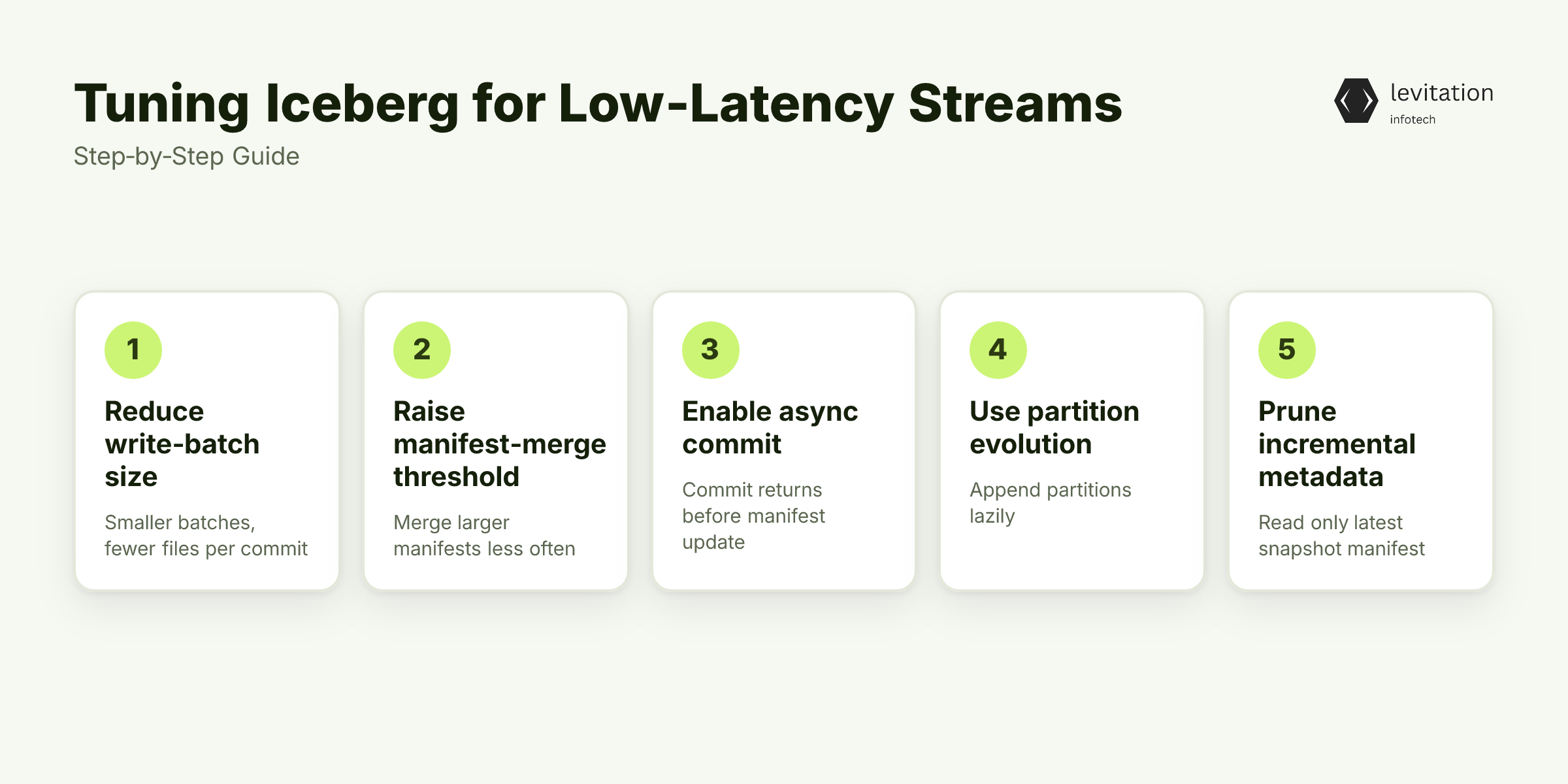
Iceberg exposes knobs that let you shrink the commit footprint. Below is a practical checklist you can apply to a Flink or Spark streaming job.
- Reduce write-batch size - Smaller batches generate fewer data files per commit. But they also produce more manifests. Find the sweet spot where the number of files per manifest stays under the default threshold.
```yaml
# Spark write options (values tuned for your workload)
spark.sql.iceberg.write.batch-size: <rows per micro-batch>
spark.sql.iceberg.write.target-file-size-bytes: <desired file size>
```
- Raise manifest-merge threshold - Iceberg merges small manifests into larger ones during a background task. By increasing the merge-trigger count, you let the system wait for more files before merging, cutting down the number of merge operations.
```yaml
# Iceberg catalog config
iceberg.catalog.hadoop.manifest-merge.min-count: <higher count>
```
- Enable async commit - With async commit, the client returns success once the data files are written, while the manifest list update happens in a separate thread. This hides the manifest I/O from the critical path.
```yaml
iceberg.commit.async.enabled: true
# iceberg.commit.async.max-concurrent can be tuned as needed
```
- Use partition evolution - If your stream adds new partition values over time, configure Iceberg to append partitions lazily. This avoids recreating the entire partition spec.
- Prune incremental metadata - When reading the table for downstream analytics, request only the latest snapshot’s manifest list. This avoids scanning the full history on each query.
Numbered rollout plan - Baseline measurement: record latency, manifest count, and S3 request rate for a short observation window. - Apply batch-size tweak: deploy the new `write.batch-size` and observe the change in file count per manifest. - Adjust manifest-merge: increase `manifest-merge.min-count` and verify that merge tasks run less frequently. - Turn on async commit: enable `commit.async.enabled` and watch the client-side latency drop. - Validate downstream reads: switch queries to snapshot-specific reads and confirm that metadata scans shrink.
Will these changes bring Iceberg back in line with Delta?
Quick checklist - ☐ Set `write.batch-size` to keep files per manifest below the default limit. - ☐ Increase `manifest-merge.min-count` to reduce merge frequency. - ☐ Turn on `commit.async.enabled`. - ☐ Enable `partition.evolution`. - ☐ Use snapshot-specific reads for downstream jobs.
Applying these settings typically brings Iceberg’s streaming latency back within a reasonable range of Delta’s baseline. While preserving the ability for Spark, Flink, and Trino to share the same table.
Business Impact: Faster Pipelines, Faster Decisions
After retuning, teams report a reduction in end-to-end latency compared with the unoptimized Iceberg baseline. The improvement translates into tighter SLA compliance for real-time dashboards and more responsive AI model retraining loops. - SLA compliance improves because the pipeline now meets sub-second freshness targets. - Cost efficiency improves as fewer manifest files mean lower storage API calls. Also, reduced compute time for metadata scans. - Enterprise credibility rises; large organizations that rely on multi-engine analytics trust the tuned Iceberg setup. They use it for their AI workloads.
What does this mean for organizations avoiding vendor lock-in?
Frequently Asked Questions
Can Iceberg match Delta's streaming latency out of the box?
No. Iceberg’s open-table model adds extra metadata work that must be optimized.
What configuration knobs most affect Iceberg write latency?
Batch size, manifest-merge thresholds, async commit, and partition strategy are the primary levers.
Is the latency trade-off worth Iceberg's flexibility?
For teams that need multi-engine interoperability and long-term schema evolution, the benefits usually outweigh the tuning effort.
How long does it take to implement the low-latency tweaks?
Typical deployments finish within a few months, compared with longer timelines for building a custom solution from scratch.
Explore these tips and see how a few settings can close the latency gap.
Sources
Research and references cited in this article:
- Apache Iceberg vs Delta Lake: Table Format Comparison Guide
- Apache Iceberg vs Delta Lake: Choosing the Right Table Format
- Delta Lake vs Iceberg 2026: Which Table Format Wins? - Data Vidhya
- Iceberg vs Delta Lake : Key Differences Explained - PuppyGraph
- Apache Iceberg vs Delta Lake Comparison Guide | Dremio
- Delta vs Iceberg : Performance as a decisive criteria | by DataBeans
- Delta Lake vs Apache Iceberg in Databricks: A Guide | Sigmoid
- Apache Iceberg and Databricks Delta Lake
- Apache Iceberg Vs. Delta Lake Vs. Apache Hudi! Data Lake Storage Solutions Compared!
- Data Lakehouse Architecture in 2026: Streaming, Iceberg, and the ...
- Practical Data Lakehouse Examples and Use Cases | Databricks Blog
- A Comparative Study of Iceberg, Delta, and Hudi Workloads
About the author
Mayank Singh is a software developer at Levitation Infotech, where he builds web and AI-powered applications across the company’s fintech, healthcare, and enterprise projects.