

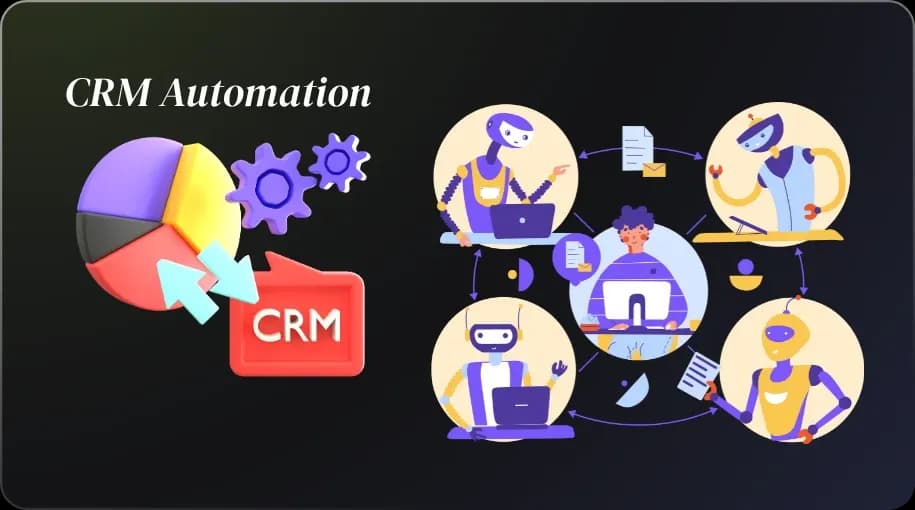
Introduction: The Dumpster Fire of Disorganization
You’re staring at a screen that looks like it’s plotting your downfall. Your sales team is scribbling leads on napkins, your marketing folks are wrestling with spreadsheets that could double as modern art, and customer data? It’s scattered across platforms like a toddler’s toy collection after a tantrum. Every time someone mentions “pipeline,” you feel your soul leave your body. If this is your reality, you’re not alone ,business owners, marketers, and CRM users have all been stuck in this chaos.
So, what is CRM automation? It’s the magic wand that turns this mess into a streamlined, profit-churning machine. And when you sprinkle in workflow automation in CRM, you’re not just organizing ,you’re practically conducting a symphony of efficiency. By the end of this guide, you’ll have a step-by-step plan to integrate these tools, save hours, and maybe even reclaim your will to live. Let’s dive into the world of CRM automation software and make your work life suck less.
What is CRM Automation (and Why Should You Care, Honestly?)
Let’s get real: CRM automation isn’t just a buzzword your IT guy throws around to sound smart. It’s the process of letting software handle repetitive tasks ,like logging customer interactions, sending follow-up emails, or updating deal statuses ,so you can focus on the stuff that actually makes money. Think of it as hiring a robot assistant who never sleeps, never complains, and doesn’t need a corner office.
But why should you care? Because manual processes are the corporate equivalent of pushing a boulder uphill. Studies show businesses using CRM automation tools can boost productivity by 14.6% (Nucleus Research, 2024). That’s not just a number ,it’s hours you’re not wasting on data entry. Plus, it keeps your team from mutiny when they realize they don’t have to copy-paste leads anymore.
Is Workflow Automation in CRM Just Fancy Talk or a Game-Changer?
What is workflow automation in Customer Relationship Management? It’s like giving your management CRM a brain transplant. Instead of just storing customer information, workflow automation lets your CRM act on it ,automatically. Imagine a lead fills out a form on your website. With workflow automation, your CRM can assign them to a marketing sales rep, send a welcome email, and schedule a follow-up, all while you’re blissfully unaware, sipping… well, nothing, because we’re not doing clichés here.
This isn’t just fancy tech ,it’s a game-changer. Businesses with automated workflows report 12% higher Customer Relationship Management success rates (Forrester, 2024). Why? Because automation ensures no lead slips through the cracks, no birthday email gets forgotten, and no customer feels like they’re shouting into the void.
What Are the Benefits of CRM Automation (and How Many Hours Can You Actually Save)?
What are the benefits of CRM automation? Oh, where do we start? Here’s the short version:
- Time savings: Automating tasks like lead scoring or email campaigns can save teams 10-20 hours a week (HubSpot, 2024). That’s enough time to binge a Netflix series—or, you know, close deals.
- Consistency: No more “oops, I forgot to follow up” moments. Your CRM automation software ensures every step happens like clockwork.
- Scalability: Growing your business? Automation grows with you, handling 10 leads or 10,000 without breaking a sweat.
- Happier teams: When your sales reps aren’t buried in admin work, they’re selling. And smiling. Okay, maybe not smiling, but definitely less grumpy.
The real kicker? These benefits compound. The more you automate, the more time you free up to strategize, innovate, or just breathe. Benefits of CRM automation include improved efficiency, better customer insights, faster response times, and reduced human error. The result? A smoother, more streamlined process that helps you focus on growing your business.
How Does CRM Data Support This Marketing Automation Magic?
How does CRM data support this marketing automation? Picture your CRM as the world’s nosiest librarian. It knows everything about your customers ,what they’ve bought, what they’ve clicked, what they’ve ignored. When you pair that with CRM and marketing automation, you’re not just sending emails ,you’re sending the right emails to the right people at the right time.
For example, your CRM notices a customer keeps browsing your pricing page but hasn’t pulled the trigger. Marketing automation kicks in, sending a personalized discount code. Boom—conversion. Data from CRM automation tools shows automated campaigns like this can increase conversions by 50% (Marketo, 2024). That’s not magic; it’s just your CRM being a genius.
Step-By-Step: How to Integrate Workflow Automation
Ready to stop herding cats and start automating? Here’s how to integrate automation in CRM without needing a PhD in tech:
- Assess Your Needs: What sucks the most time? Lead follow-ups? Reporting? List your pain points. If you’re muttering “everything,” start with repetitive tasks like email nurturing.
- Choose the Right CRM Automation Software: Tools like HubSpot, Zoho, or Salesforce (more on that later) offer robust workflow features. Pick one that fits your budget and doesn’t require a secret handshake to use.
- Map Your Processes: What is the CRM process workflow? It’s the path your leads take from “who are you?” to “take my money!” Sketch out each step ,form submissions, sales calls, invoices.
- Build Workflows: Use your CRM’s drag-and-drop builder (most have one) to create rules. Example: “If a lead downloads an ebook, send a thank-you email and assign them to a rep.”
- Test It: What is CRM in testing? It’s making sure your automation doesn’t email your CEO a “thanks for your purchase” note. Run small tests before going live.
- Monitor and Tweak: Use CRM dashboards to track performance. If a workflow’s not converting, tweak it. Automation’s not set-it-and-forget-it ,it’s set-it-and-improve-it.
Pro tip: Start small. Automating one process (like lead assignment) builds confidence before you go full robot overlord.
CRM Automation Tools You’ll Wish You Knew About Sooner
What are the CRM tools? Here’s the hit list of CRM automation tools that’ll make you wonder how you survived without them:
- HubSpot: User-friendly, with workflows so intuitive you’ll think it’s reading your mind.
- Zoho CRM: Affordable, packed with automation for small businesses who don’t want to sell their firstborn to pay for it.
- Pipedrive: Sales-focused, with automation that keeps your pipeline moving faster than a toddler chasing candy.
Each has its quirks, but they all beat manual data entry by a mile. Curious about others? Posts on X rave about Freshsales for startups and Monday.com for visual thinkers.
CRM Automation Testing: Why It Matters More Than You Think
Customer Relationship Management CRM automation sounds like something you’d outsource to a nerd in a basement, but it’s critical. Why? Because a buggy workflow can tank your customer service faster than you can say “unsubscribe.” It ensures your emails land in inboxes, your lead scores make sense, and your automation doesn’t accidentally ghost your best clients.
How do you manage it? Send dummy leads through your system. Check if triggers fire correctly. Use A/B testing for emails. One X user shared a horror story of a CRM sending 500 duplicate emails because nobody checked the workflow. Don’t be that guy , smart businesses now even combine artificial intelligence with their CRM to catch mistakes before they happen.
Customer Behavior Analysis & Why You Should Stop Ignoring Them
Why is lead management important? Because guessing what customers want is like throwing darts blindfolded. Marketing campaigns give you a crystal-clear view of what’s working ,click-through rates, deal stages, even which products are gathering dust. Pair that with smart data insights, and you’re basically a mind reader.
For instance, your sales team might notice 60% of leads drop off after a demo. Dig into the data ,maybe your pricing page is scaring them away. Tweak it, automate a follow-up discount, and watch conversions climb. Ignore this stuff, and you’re leaving money on the table in your sales process.
CRM and Marketing Automation: Are They BFFs or Frenemies?
What is CRM and marketing automation? They’re like peanut butter and jelly ,great alone, unstoppable together. CRM tracks every customer touchpoint; marketing automation uses that data to send hyper-targeted campaigns. But they’re not always BFFs. If your CRM and marketing tools don’t sync, you’re stuck with data silos and campaigns that feel like spam.
The fix? Choose platforms that integrate seamlessly (think HubSpot or Active Campaign). When they play nice, CRM and marketing automation can lift revenue by 20% (Aberdeen Group, 2024). Frenemies no more.
Is Salesforce Automation in CRM Different From Regular Automation? (Spoiler: It Kind of Is)
What is CRM automation? It’s like regular CRM automation on steroids. It offers crazy-powerful tools ,think AI-driven lead scoring, predictive analytics, and workflows that practically run your business. But it’s not for everyone. It’s pricier than a penthouse and has a learning curve steeper than Everest.
If you’re a small business, stick with simpler CRM automation software like Pipedrive. But if you’re scaling fast and need muscle, Salesforce automation might be your jam. Just don’t expect to master it over a weekend.
Real-World Workflow Automation Examples That Actually Work
What are examples of automation? Here’s what’s saving sanity in the real world:
- Lead Nurturing: A lead downloads a whitepaper. Your CRM auto-sends a series of educational emails, scores their engagement, and alerts a rep when they’re ready to buy.
- Invoice Follow-Ups: Customer ignores an invoice? Automation sends polite reminders, escalating to a phone call task after three tries.
- Onboarding: New client signs up? Workflow automation triggers a welcome email, schedules a kickoff call, and assigns a rep ,all in seconds.
These aren’t hypotheticals ,businesses on X share stories of cutting response times by 70% with workflows like these.
What is the CRM Process Workflow (And Why Should It Flow, Not Stumble?)
What is the CRM process workflow? It’s the roadmap your leads follow from “hello” to “here’s my credit card.” Think: awareness, engagement, conversion, retention. A good workflow ensures no step stumbles ,like forgetting to call a hot lead or sending a “welcome back” email to someone who’s never left.
What are the 5 steps of workflow? Generally, it’s identify, connect, evaluate, close, and delight. Map these in your CRM, automate repetitive bits (like emails or task assignments), and watch your pipeline flow smoother than a sunny afternoon breeze.
How to Choose CRM Automation Software That Won’t Make You Cry
Picking CRM automation software is like dating ,looks aren’t enough, and compatibility matters. Ask:
- Does it fit your needs? If you’re a solo entrepreneur, you don’t need Salesforce’s firepower.
- Is it user-friendly? If the interface looks like a spaceship dashboard, run.
- Does it integrate? Your CRM should play nice with your email, accounting, and marketing tools.
- What’s the cost? Free trials are great, but check the fine print.
Top picks? HubSpot for beginners, Zoho for budget-conscious teams, Pipedrive for sales-driven folks. X users swear by these for their balance of power and simplicity.
CRM Workflow Management: Because Manual Processes Are So 2008
CRM workflow management is about making your CRM a proactive partner, not a glorified Rolodex. It’s setting up rules so your system handles the grunt work ,assigning tasks, updating records, flagging stale leads. Manual processes? They’re like dial-up internet: nobody has time for that.
Good workflow management cuts errors by 30% (Gartner, 2024). It’s not just about speed ,it’s about making sure your team’s focused on closing deals, not chasing data.
Is Jira a CRM Tool? (And Other Questions You’re Too Embarrassed to Ask)
Quick hits for clarity:
- Is Jira a CRM tool? Nope. Jira’s for project management, not customer relationships. It’s like using a hammer to crack an egg.
- What are the 4 types of CRM? Analytical (data crunching), operational (automation), collaborative (team sharing), strategic (long-term planning).
- What is CRM software used for? Tracking customer interactions, automating tasks, and making you look like a rockstar who’s got it all together.
Final Thoughts
You made it! You’re now armed with the know-how to turn your CRM into a lean, mean, deal-closing machine. CRM automation isn’t just a nice-to-have ,it’s your ticket to less stress and more success. Here’s what to do next:
Key Takeaways
Start small: Automate one process, like lead follow-ups, before going full cyborg. Pick the right CRM tools: HubSpot, Zoho, or Pipedrive are solid bets. Test everything: it saves you from email disasters. Use insights from your CRM to gain valuable data ,this is your secret weapon. Sync your CRM and marketing automation for campaigns that hit like Cupid’s arrow. Map your CRM process to keep leads moving, not stalling. Ditch manual tasks with CRM management. Your sanity deserves it.
As Steve Jobs once said, “The only way to do great work is to love what you do.” Automation makes loving your work a whole lot easier by clearing the clutter.
Still stuck with napkins and spreadsheets? Time to evolve. Try automating your workflow automation in CRM today ,your future, less-frazzled self will send you a thank-you note. Get started now and see the difference!
![Why Custom CRM Development Costs 60% Less Than Ready Solutions [2025 Guide]](/_next/image?url=%2Fapi%2Fmedia%2Ffile%2Fcrm%2520Development.png&w=2048&q=75)