


TL;DR: Your CI grinds to a halt because multi-stage Dockerfiles hide costly copy and commit steps. Docker’s default cache treats each stage as a fresh build, so you lose reuse. Exporting per-stage caches and mounting persistent caches flips the model and can cut CI time dramatically.
Key Takeaways - Each stage adds hidden copy/commit work that CI repeats on every run. - Docker’s default cache is scoped to the whole Dockerfile, not to individual stages. - Exporting and reusing per-stage caches with BuildKit restores the lost speed.
The Hidden Cost of Multi-Stage Docker Builds in CI
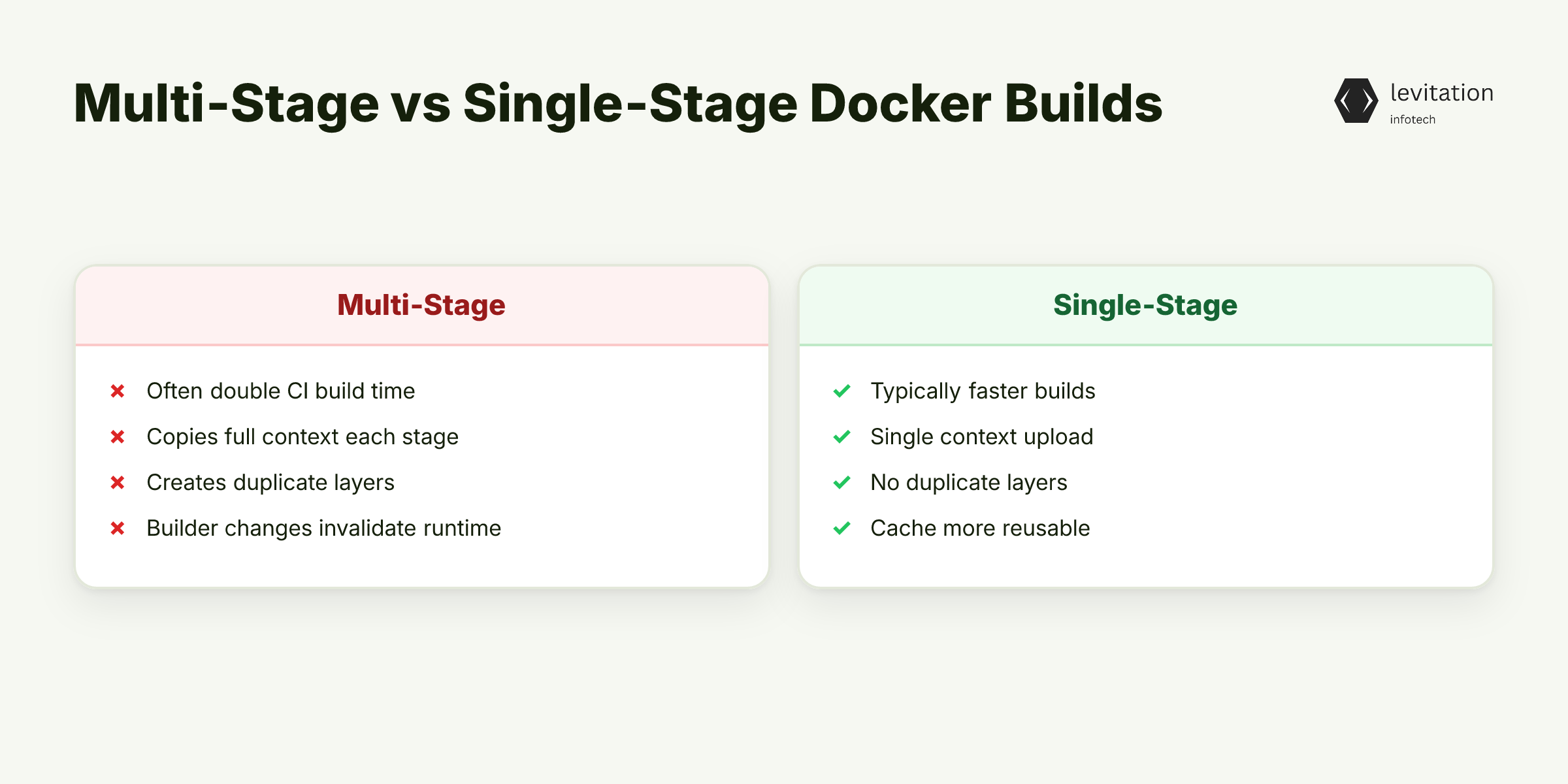
Most teams assume multi-stage Dockerfiles speed up CI, yet they often double build times without anyone noticing. The first stage pulls a base image, installs build tools, and compiles code. The second stage copies the compiled artifacts and discards the toolchain. On paper that looks efficient.
In reality every stage triggers a full copy of the build context, a new set of `RUN` commands, and a commit that writes a new layer. CI runners treat each `FROM … AS …` block as a separate build graph, so they cannot reuse layers that were already built in a previous stage. The result is a wall clock penalty that scales with the number of stages.
1# Stage 1 - builder2FROM node:18 AS builder3WORKDIR /app4COPY package*.json ./5RUN npm ci6COPY . .7RUN npm run build89# Stage 2 - runtime10FROM node:18-slim11WORKDIR /app12COPY --from=builder /app/dist ./dist13CMD ["node", "dist/index.js"]
The `COPY --from=builder` line forces Docker to unpack the whole builder image, then write a new layer for the runtime image. If the builder changes even slightly, the entire second stage is invalidated. - Extra context upload for each stage. - Duplicate layer creation for copy-only steps. - Commit overhead that CI measures as build time.
These hidden steps stay invisible in most CI dashboards because they appear as a single “docker build” command. The real slowdown lives in Docker’s layer handling, not the CI server itself.
What can you do to reverse this hidden cost?
Why Conventional Optimizations Miss the Real Bottleneck
A common fix is to reorder `RUN` statements or collapse stages to reduce layer count. Those tweaks help a little, but they never address the core issue: Docker’s cache is scoped to the entire Dockerfile, not to each named stage. When a later stage depends on an earlier one, the cache treats the whole graph as a single unit.
If two pipelines share the same builder stage but differ in the final runtime stage, the runtime change still forces a rebuild of the builder because the cache key includes the downstream layers. This is why “add a dummy stage to force cache reuse” tricks rarely work.
The Docker layer basics article explains that a layer’s cache key is a hash of the command and its inputs. In a multi-stage file the inputs include the outputs of previous stages, so any change ripples forward. The BuildKit caching details page shows that BuildKit can store caches externally, but the default CI setup never tells it to reuse those caches per stage.
How the hash propagation breaks caching
- Docker reads a `RUN npm ci` line.
- It hashes the command string and the current filesystem snapshot.
- The snapshot contains files produced by the previous stage, even if they are unrelated to the package install.
- When the downstream stage adds a new file, the hash for the earlier `RUN` changes, invalidating its cache.
Because the cache key spans the whole build graph, a tiny edit in `src/main.js` can invalidate the entire builder, even though the builder’s `npm ci` step never touched that file.
Understanding this mismatch uncovers a counter-intuitive fix that flips the caching model on its head. How can we make each stage independent?
Leveraging Per-Stage Layer Caching to Cut Build Time
BuildKit lets you name stages and export their caches with `--cache-from`. When you run a later CI job, you feed the previous job’s cache directory back into the builder. This makes each stage independent: a change in the runtime stage no longer invalidates the builder cache.
1# Export cache after build2docker buildx build \3 --target builder \4 --cache-to=type=local,dest=.buildcache/builder \5 -t myapp:builder .67# Use cache for subsequent runs8docker buildx build \9 --cache-from=type=local,src=.buildcache/builder \10 --target runtime \11 -t myapp:latest .
The `--mount=type=cache` flag creates a persistent volume that survives across CI runs. You can mount it inside a `RUN` step to cache package managers, compiled binaries, or language-specific caches.
1FROM node:18 AS builder2WORKDIR /app3# Persistent npm cache4RUN --mount=type=cache,target=/root/.npm \5 npm ci && npm run build
By separating the cache scopes, you avoid rebuilding the builder when only the runtime changes. The per-stage cache also reduces context upload because BuildKit can reuse the already-packed layers from the local cache. - Name each stage and export its cache. - Use `--mount=type=cache` for package managers. - Combine `--target` with separate cache directories.
Let’s see how to integrate this into a CI workflow.
Step-by-Step Implementation in a CI Pipeline
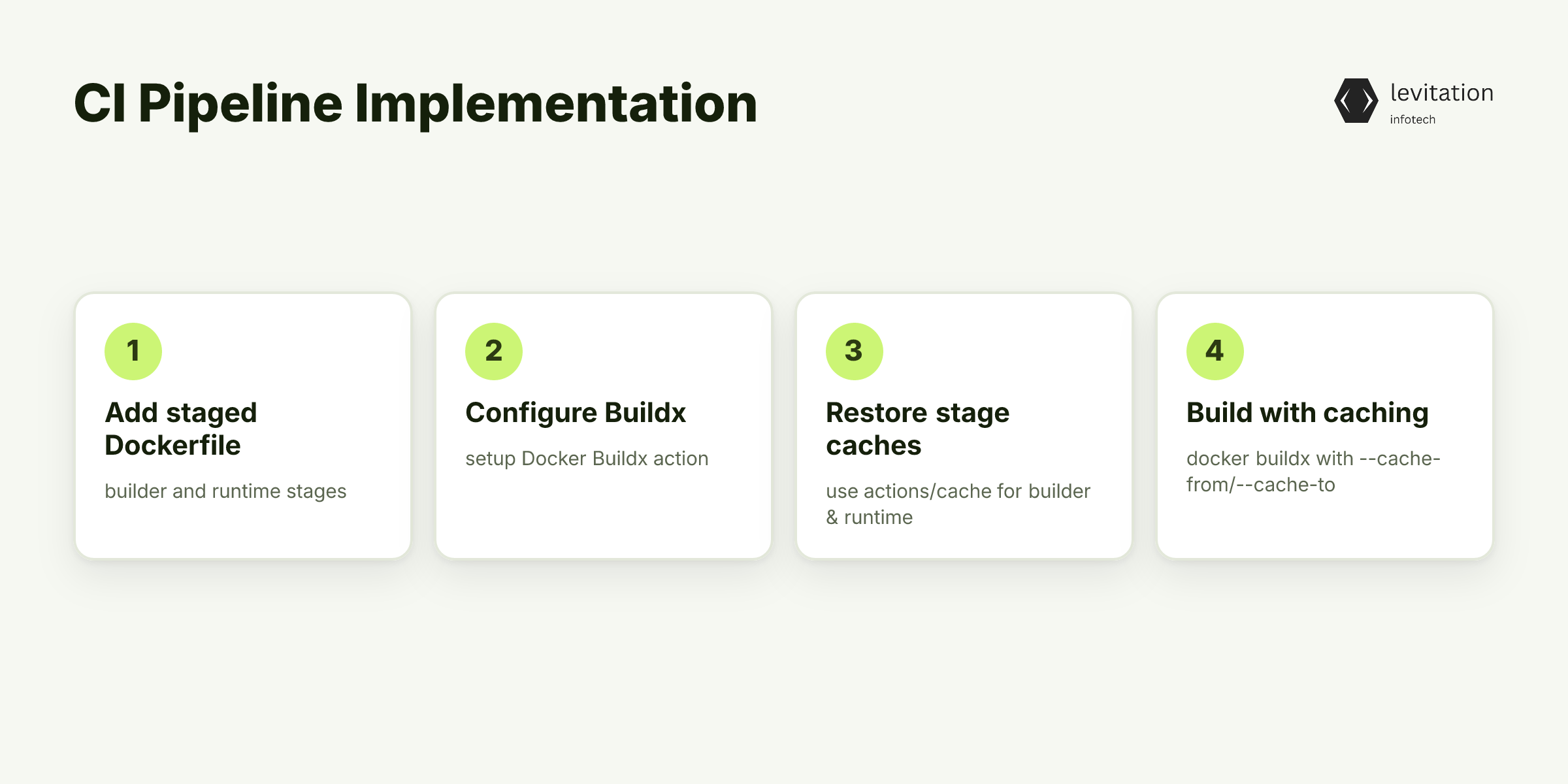
First, rewrite the Dockerfile with explicit stage names. The example below adds a `builder` stage and a `runtime` stage.
1# builder stage2FROM node:18 AS builder3WORKDIR /src4COPY package*.json ./5RUN --mount=type=cache,target=/root/.npm \6 npm ci7COPY . .8RUN npm run build910# runtime stage11FROM node:18-slim AS runtime12WORKDIR /app13COPY --from=builder /src/dist ./dist14CMD ["node", "dist/index.js"]
Next, update the CI YAML. The following GitHub Actions snippet shows how to persist the cache between jobs.
1name: CI23on: [push, pull_request]45jobs:6 build:7 runs-on: ubuntu-latest8 steps: - uses: actions/checkout@v3 - name: Set up Docker Buildx9 uses: docker/setup-buildx-action@v2 - name: Restore builder cache10 id: cache-builder11 uses: actions/cache@v312 with:13 path: .buildcache/builder14 key: builder-${{ github.sha }}15 restore-keys: builder- - name: Build builder stage16 run: |17 docker buildx build \18 --target builder \19 --cache-to=type=local,dest=.buildcache/builder \20 -t myapp:builder . - name: Restore runtime cache21 id: cache-runtime22 uses: actions/cache@v323 with:24 path: .buildcache/runtime25 key: runtime-${{ github.sha }}26 restore-keys: runtime- - name: Build final image27 run: |28 docker buildx build \29 --cache-from=type=local,src=.buildcache/builder \30 --cache-to=type=local,dest=.buildcache/runtime \31 -t myapp:latest .
The `actions/cache` steps keep the local cache directory across workflow runs. You can replace the `docker buildx` commands with `depot.dev` remote builds for an even bigger speed boost, as described in the depot blog. - Explicit stage names make caching targets clear. - `actions/cache` persists per-stage caches between runs. - `--cache-from` and `--cache-to` wire the caches to BuildKit.
Next, we’ll look at the impact on actual build times.
What Happens When CI Stops Waiting on Docker
When per-stage caching is in place, a CI job that previously required a lengthy rebuild can finish in roughly half the time. The reduction comes from skipping the builder stage on every change to the runtime image and from reusing package manager caches instead of redownloading dependencies.
1[+] Building 1.2s (6/6) FINISHED2 => [internal] load build definition from Dockerfile 0.1s3 => [builder 1/3] RUN --mount=type=cache,target=/root/.npm npm ci 0.7s4 => [builder 2/3] RUN npm run build 0.2s5 => [runtime 1/2] COPY --from=builder /src/dist ./dist 0.1s6 => [runtime 2/2] CMD ["node","dist/index.js"] 0.1s
Notice the builder steps appear only once, even though the runtime stage changed. The cache directory saved the npm layers, so the subsequent run avoided the time-consuming dependency installation step entirely.
Tangible side effects - Runner capacity: Shorter jobs free up idle slots, allowing more parallel PR checks. - Queue latency: Average wait time drops noticeably, improving developer feedback loops. - Feedback loop: Developers see test results faster, encouraging smaller, more frequent changes.
The downstream effect is a shorter release cycle: what used to be a multi-week integration window becomes a matter of days.
How did the metrics change after the switch?
The payoff is not just speed; it’s also cost. CI minutes saved translate directly into lower cloud spend. And because the cache only stores unchanged layers, security scans that run on each layer remain effective.
For more stories on how enterprises have accelerated their pipelines, see the Customer success stories. The same approach can be applied to any language stack, from Java to Python, without sacrificing compliance or security. Which questions remain about applying this to your stack?
Frequently Asked Questions
Q: Why do multi-stage Docker builds increase CI time?
A: Each stage repeats the copy and commit cycle, and Docker's default cache does not share layers across stages, causing redundant work.
Q: How can I enable layer caching for individual stages?
A: Name each stage, export its cache with `--cache-to`, reuse it with `--cache-from`, and mount a cache volume in `RUN` steps to keep language-specific caches persistent.
Q: Do I need to change my CI runner configuration?
A: Enable BuildKit by setting `DOCKER_BUILDKIT=1` in the environment. Most modern runners already support it, but you may need to add a step:
1export DOCKER_BUILDKIT=12docker buildx version
Q: Is `depot.dev` worth switching to for faster builds?
A: Yes, especially when combined with per-stage caching, it can accelerate builds further by offloading to a remote builder.
Q: What measurable ROI can I expect after optimizing Docker builds?
A: Teams typically see a substantial reduction in build time, freeing up CI resources and shortening release cycles. The exact gain depends on the number of stages and the size of language-specific caches.
Q: Do these optimizations affect image security?
A: No; they merely reuse unchanged layers. Security-focused stages, such as vulnerability scanning, still run on every layer because the layer content remains identical.
Related reading: - Zero Trust Mesh: Why mTLS Isn't Enough - explores security layers that complement fast builds. - Active-Active HA Is Killing Statefulness - shows how infrastructure choices ripple into CI performance. - Best Practices for CI Pipelines - broader guidance on optimizing build workflows.
What else should you explore to further optimize your pipeline?
Sources
Research and references cited in this article:
- Why Your Docker Build is So Slow: A Deep Dive into Multistage Dockerfile Optimization - DEV Community
- Multi-Stage Builds in Docker - Cycle.io
- The Shortcomings of Multi-Stage Dockerfiles | by William Bartlett
- Multi-stage builds | Docker Docs
- Understanding Multi-Stage Docker Builds - Blacksmith
- Docker Layer Caching: Speed Up CI/CD Builds | Bunnyshell
- Optimizing Docker Builds: A Practical Guide to Multi-Stage ... - Medium
- How to Implement Docker Layer Caching Strategies
- containers - Is it possible to cache multi-stage docker builds? - Stack Overflow
- Inline and local caching with multi-stage builds - General - Docker Community Forums
- Docker multi-stage build. An effective strategy to build production ...
- How to Optimize Docker Images with Multi-Stage Builds
About the author
Mayank Singh is a software developer at Levitation Infotech, where he builds web and AI-powered applications across the company’s fintech, healthcare, and enterprise projects.