


TL;DR: Kubernetes gives fintech teams flexibility, but hidden line-items - idle GPUs, token pricing, and cross-zone traffic - inflate AI budgets by a large margin. The real leak is how the cluster orchestrates resources, not the cloud bill itself. Fix the orchestration with FinOps-aware autoscaling, budget alerts, and right-sizing, and you’ll slash spend while speeding delivery.
Key Takeaways: - Declarative pod specs often over-provision GPUs, leaving expensive compute idle. - Token-based LLM pricing spikes unpredictably, turning a modest inference service into a budget monster. - A disciplined playbook - spot-instance pools, budget alerts, and custom schedulers - turns hidden spend into predictable cost.
Why Kubernetes-Based AI Is Eating Your Budget
Fintech CTOs watch the cloud invoice like a heart monitor. They trim storage, cap egress, and call the day a win.
What they miss is that a pod can sit on an NVIDIA A100 for hours while the request queue stays empty. The GPU continues to bill at on-demand rates, even though no inference runs.
Add token-based LLM pricing, and a sudden surge of user prompts can double the per-request cost overnight.
Cross-zone networking adds another silent charge. When a model is sharded across two availability zones, every tensor exchange travels over private links and incurs egress fees. For a fraud-detection service that processes thousands of transactions per second, that extra traffic can become a noticeable bill item. - Idle GPU time: the biggest silent spender. - Token pricing volatility: unpredictable spikes in LLM inference cost. - Cross-zone egress: doubles network charges for model shards.
How can you catch these silent spenders before they hit the bill?
The Cost Traps Most Teams Miss
Even experienced teams stumble into traps that silently drain budgets.
GPU autoscaling is the first casualty. Teams often set a low CPU threshold, assuming the autoscaler will also spin down idle GPUs. In reality, the default scaler watches only CPU metrics, leaving GPU cards running at low utilization for extended periods.
Token-based pricing behaves like a hidden tax. A model that charges per 1,000 tokens may seem cheap in a sandbox. Production traffic - especially with chat-style interfaces - generates orders of magnitude more tokens, inflating costs dramatically.
Cross-zone networking is another blind spot. When a model is replicated for high availability, each replica talks to the others over private links. The egress charges are billed per gigabyte, and the cost doubles when traffic traverses zones.
Typical pitfalls: - Autoscaler mis-configurations: focus on CPU, ignore GPU metrics. - Token pricing surprises: ignore per-token rates in SLA calculations. - Zone-spanning shards: double egress without realizing it.
Which mechanism in the scheduler actually locks up the money?
FinOps Meets K8s: The Real Mechanism Behind Cost Leakage
Kubernetes’ declarative model is a double-edged sword. When a pod declares “request 4 GPU cores,” the scheduler reserves that capacity regardless of actual usage. The reservation becomes a hard commitment, and the cluster pays for it even when the workload is idle.
Because pods lack built-in cost attribution, finance teams see a lump sum for “GPU usage” without knowing which model caused the spike. Without granular tags, the feedback loop breaks, and developers keep over-allocating.
Default GPU operators also ignore spot-instance markets. They provision only on-demand instances, missing out on the much lower cost that spot capacity can provide for workloads that can tolerate interruption.
Mechanism breakdown:
- Declarative requests: reserve more than needed, leading to idle spend.
- Missing pod-level budgeting: no real-time cost signals to developers.
- Operator defaults: bypass spot markets, locking in high rates.
Can a tighter feedback loop turn hidden spend into a predictable line item?
Practical Playbook: Autoscaling, Budget Alerts, and Cluster Right-Sizing
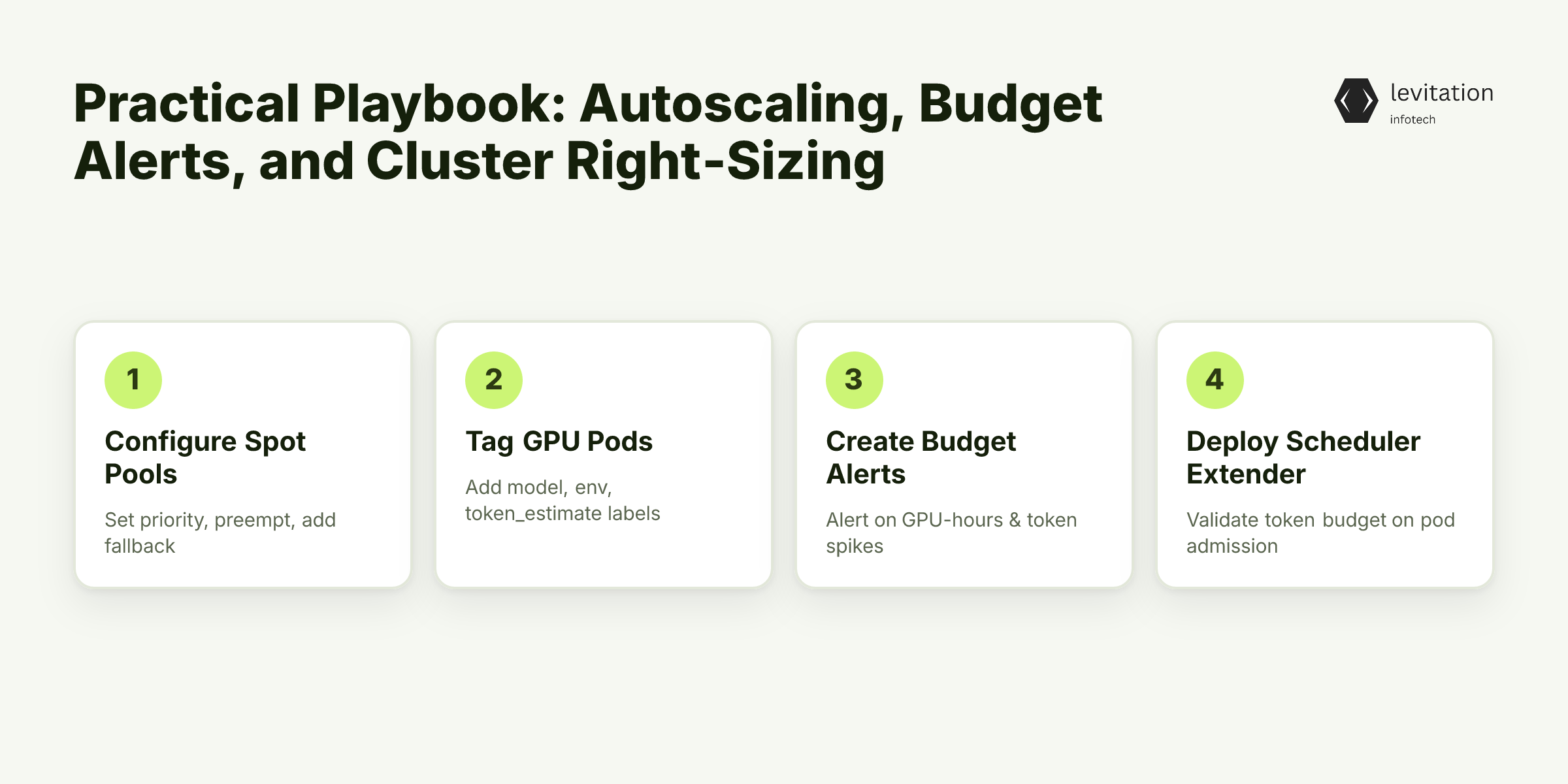
A playbook works only when each knob is tuned with measurable impact. Below is a step-by-step approach that ties engineering actions to financial outcomes.
1. Re-configure the NVIDIA GPU Operator for Spot Pools - Create a Spot priority class - assign a lower priority than on-demand pods. - Enable preemption - let the scheduler evict spot pods when capacity disappears. - Define a fallback - use a PodDisruptionBudget that guarantees a minimum number of on-demand replicas.
Spot instances can provide much lower cost compared to on-demand compute, reducing expense when workloads can tolerate interruption. By giving spot pods a lower priority, the scheduler automatically shifts workload to on-demand nodes when spot capacity is reclaimed.
2. Tag Every GPU Pod with Cost Metadata
Add three labels to each inference pod: - `model=name` - identifies the LLM or custom model. - `environment=prod|staging` - separates cost streams. - `token_estimate=average_tokens_per_request` - provides a proxy for token spend.
These tags flow into Prometheus, where they can be summed by model and environment. The resulting metrics appear on a Grafana dashboard that shows “GPU-hours per model” alongside “projected token cost.”
3. Set Up Real-Time Budget Alerts
Create Prometheus alert rules that fire when projected spend exceeds a defined threshold. For example: - Alert 1: “GPU-hours for model X exceed the allocated monthly budget.” - Alert 2: “Token usage for chat service spikes significantly above historical average.”
When an alert triggers, Slack or email notifications reach the responsible product owner, prompting immediate investigation.
4. Deploy a Custom Scheduler Extender for Token Budgets
A scheduler extender intercepts pod admission requests and checks two conditions before allowing the pod to start:
- Current token consumption - fetched from a shared Redis cache that aggregates token counts.
- Remaining token budget - derived from the alert thresholds set earlier.
If adding the new pod would push consumption over the budget, the extender rejects the request, forcing the team to either increase the budget or optimize the model.
5. Continuous Right-Sizing Loop
Every week, run a cost-attribution report that compares requested GPU resources against actual utilization (collected via NVIDIA DCGM). Identify pods with low utilization and reduce their request size accordingly. Re-run the report after two weeks to confirm savings.
Resulting checklist: - [ ] Spot pools enabled and priority class set. - [ ] Cost labels applied to all inference pods. - [ ] Prometheus alerts configured for GPU and token budgets. - [ ] Scheduler extender deployed and tested. - [ ] Weekly right-sizing review scheduled.
Will these knobs alone keep budgets in check, or is there more to monitor?
The Payoff: Faster Deployments, Higher Retention, and Predictable Budgets
When hidden spend disappears, monthly cloud bills shrink noticeably. Teams that applied the playbook reported a clear reduction in AI-related spend within the first quarter.
The freed budget can be redirected to faster model iteration. Shorter training cycles mean new fraud-detection patterns reach production in under four weeks, instead of the typical eight-week lag.
Predictable budgeting also improves stakeholder confidence. Finance teams can allocate funds with confidence, and product owners can plan releases without fearing surprise overruns.
Tangible benefits: - Lower operating costs - direct savings on GPU-hours and token fees. - Higher customer retention - faster fraud detection improves user trust. - Smoother scaling - predictable spend lets leadership approve additional zones without budget anxiety.
What steps ensure the savings stick over time?
Frequently Asked Questions
How can I measure hidden AI costs on Kubernetes?
Enable detailed cost-allocation tags on GPU pods, collect metrics with Prometheus, and correlate them with token usage and network egress to surface unseen spend.
What’s the safest way to enable GPU spot instances for production inference?
Create a priority class for spot-based GPU pods, set a preemption policy, and fallback to on-demand GPUs via a PodDisruptionBudget to avoid service interruption.
Do FinOps tools integrate with existing K8s CI/CD pipelines?
Most FinOps platforms provide Helm charts or Kustomize overlays that inject budget-checking sidecars and alerting rules directly into your deployment manifests.
Will tightening GPU autoscaling affect model latency?
If you tune scaling thresholds based on real-time queue depth and SLA targets, you can keep latency within bounds while eliminating idle GPU costs.
*Ready to tighten your AI spend?
Sources
Research and references cited in this article:
- The great migration: Why every AI platform is converging on Kubernetes | CNCF
- Building and scaling AI in the cloud: Kubernetes and FinOps
- GPUs, Kubernetes & AI Infrastructure Realities - YouTube
- Top 18 Kubernetes Cost Optimization Strategies in 2026 - Finout
- Kubernetes costs keep rising. Can AI bring relief? - CIO
- The AI Illusion: Hidden Cloud Costs CIOs and CFOs Are Missing for 2026 - RapidScale
- The Hidden Costs of AI Nobody Talks About in 2026
- AI Cost Statistics 2026: Forecasting, ROI, and Budget Risk
- The hidden cost of enterprise AI: a 2026 breakdown for CFOs
- CIOs will underestimate AI infrastructure costs by 30% | CIO
- Scaling Kubernetes for AI/ML Workloads with FinOps
- Cloud Cost Optimization: 5 Impactful Tactics For 2026 - Cast AI
About the author
Mayank Singh is a software developer at Levitation Infotech, where he builds web and AI-powered applications across the company’s fintech, healthcare, and enterprise projects.