

TL;DR: AI agents now download roughly 400 million tools from public registries each month. Almost none pass a security review before execution. This makes MCP the largest unvetted software supply chain in most enterprise stacks, and traditional AppSec controls cannot see it. CTOs need a three-layer governance model plus a concrete vetting protocol to close the gap without strangling developer velocity.
Key Takeaways: - MCP tool calls travel as JSON-RPC over localhost, so SIEM and EDR tools literally cannot see them. - Context poisoning persists across sessions through tool descriptions and shared state, bypassing every input filter you already own. - A private registry, schema pinning, just-in-time credentials, and canary testing are the four most effective controls to deploy first.
The 400 Million Tool Problem Nobody Owns
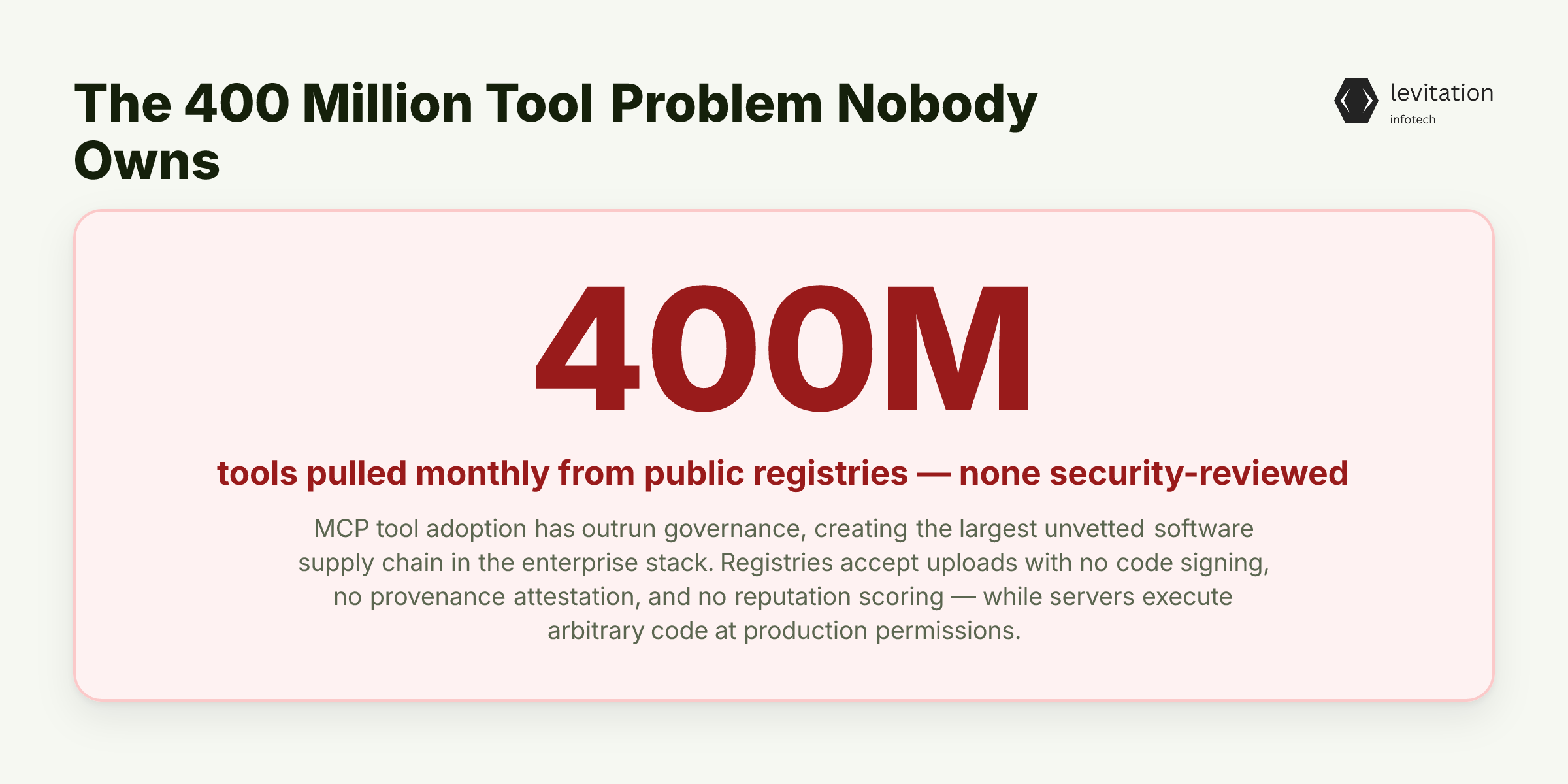
Every month, AI assistants across enterprise environments pull roughly 400 million tools from public registries. Not one passes a security review.
The MCP ecosystem has outrun the governance designed to protect it. Most CTOs do not realize their agent fleet is now the largest unvetted software supply chain in their stack.
This is not a future risk. It is happening right now, in production environments, at a scale that makes the early days of npm look slow.
The parallel to package registries before Sigstore is exact. Developers pull what they need, registries accept uploads without verification, and nobody asks about provenance until something breaks.
The difference is speed. Where npm grew over a decade, MCP tool adoption has compressed into months.
The trust problem is worse than the supply chain problem it mirrors. MCP servers execute arbitrary code with the same permissions as legitimate software. Registries accept uploads without code signing, without provenance attestation, and without reputation scoring.
A tool that looks helpful in a README can exfiltrate data, persist backdoors, or quietly rewrite its own behavior after install. Our MCP security risks overview is the first place to map what is actually being pulled into your environment.
The stakes are not abstract. Snap settled a $35 million class action over AI tool misuse. Samsung's data leak traced back to generative AI tools operating outside governance boundaries.
Both incidents looked like isolated policy failures. The root cause was structural: tools running in production with no vetting layer between them and sensitive data.
The instinct is to bolt traditional AppSec controls onto MCP and call it covered. That instinct is wrong, and here is why.
Why Your SIEM Sees Nothing and Your EDR Sees Less
Your existing detection stack was built for traffic that crosses networks. It expects recognizable processes and audit trails in places log collectors can read. MCP traffic does none of that.
It travels as JSON-RPC over localhost or stdio. This means it never touches a network sensor, never appears in flow logs, and never crosses a boundary your SIEM was configured to watch.
The blind spots stack up fast. Tool calls do not generate process trees that EDR recognizes as interesting. Consent prompts create no audit log because the user is the agent itself, and the agent clicks through.
Credential usage happens inside ephemeral sessions with no correlation to identity. Tokens are minted, used, and discarded before any session-based correlation rule can fire. Your shadow AI tooling detection capability is effectively blind to the most common attack path.
The real blind spot is context-level. Agents make routing decisions based on tool descriptions, and those descriptions are written by whoever published the tool. An attacker who controls the description controls the agent's behavior at the decision point.
No WAF inspects a tool's description field for malicious intent. No DLP watches an agent read a string and decide to call a different tool as a result. The threat surface is the natural language inside the registry, and your stack has no sensor for it.
This is why half your SIEM detections fail in the cloud the moment agentic workflows are involved.
The pattern is the same one we have documented in cloud environments. The controls were designed for a perimeter that no longer exists. With MCP, the perimeter never existed at all.
Traditional detection is not the answer. The attack surface itself is new, and the most dangerous part of it hides in plain sight.
Context Poisoning: The Attack Vector Your Threat Model Doesn't Have
Most CTOs have heard of prompt injection. Context poisoning is a different animal, and it is the one that will hurt you.
Context poisoning is what happens when an attacker manipulates shared memory, persistent state, or tool descriptions. The aim is to influence future agent behavior without any new prompt. The malicious content was loaded earlier, often through a trusted channel, and it sits in the agent's context waiting to be triggered.
Persistence across sessions is the differentiator. A prompt injection fades when the session ends. Context poisoning waits.
The mechanics matter. Tool poisoning is the entry point. A malicious tool description instructs the agent to call a companion tool that exfiltrates data. The agent does it willingly because it trusts the schema.
The agent reads a suggestion embedded in a tool description and follows it as if it were a legitimate workflow step. Sensitive data gets routed to an attacker-controlled endpoint. The schema looked valid. The tool worked as described. Nothing in the audit trail marks it as malicious.
Rug pull attacks make this worse. A tool passes initial vetting, then ships a version update that changes behavior.
A schema change confuses the agent into misrouting sensitive calls to a different endpoint. A dependency update pulls in a malicious package that rides along with a legitimate improvement. Our Model Context Protocol governance framework has to account for tools that are safe on day one and dangerous on day thirty.
This is also why open-source agent toolkits quietly drain your compliance budget. The threat is not the code you can see. It is the code that changes after you approved it, or the metadata that was weaponized before the binary even ran.
Naming the attacks is necessary but not sufficient. CTOs need to know which layer to defend.
The Three Layers of MCP Governance
Governance for MCP is not one control. It is three layers working together, and skipping any one of them leaves a gap an attacker will find. - Layer 1 - Protocol: Pin tool versions and require schema hashes at the host level. Reject unsigned MCP servers outright. Treat tool descriptions as untrusted input the same way you treat user prompts. Scrub them, scan them, and never let them execute instructions without review. The protocol layer is where most teams skip work because the defaults look permissive. - Layer 2 - Infrastructure: Sandbox every MCP server so a compromised tool cannot reach outside its execution boundary. Rotate credentials per server so a leaked token does not unlock the entire fleet. Enforce network egress allowlists so a tool cannot reach arbitrary endpoints even if it tries. This is the layer where most AI agent supply chain controls already exist in your environment. You just have to apply them. - Layer 3 - Operational: Log every tool call with full parameter capture. Require human-in-the-loop approval for any tool touching production data, customer records, or financial systems. Run red team exercises specifically against context poisoning, not just prompt injection. Operational discipline separates teams whose controls work from teams whose controls look good on paper.
Systems that apply all three layers together are the ones still running in production five years after deployment. The governance is built into the architecture, not bolted on after an incident.
Three layers sound clean. The hard part is deciding what to allow, reject, or review, and how fast.
A CTO's Vetting Protocol: 7 Steps That Don't Kill Velocity
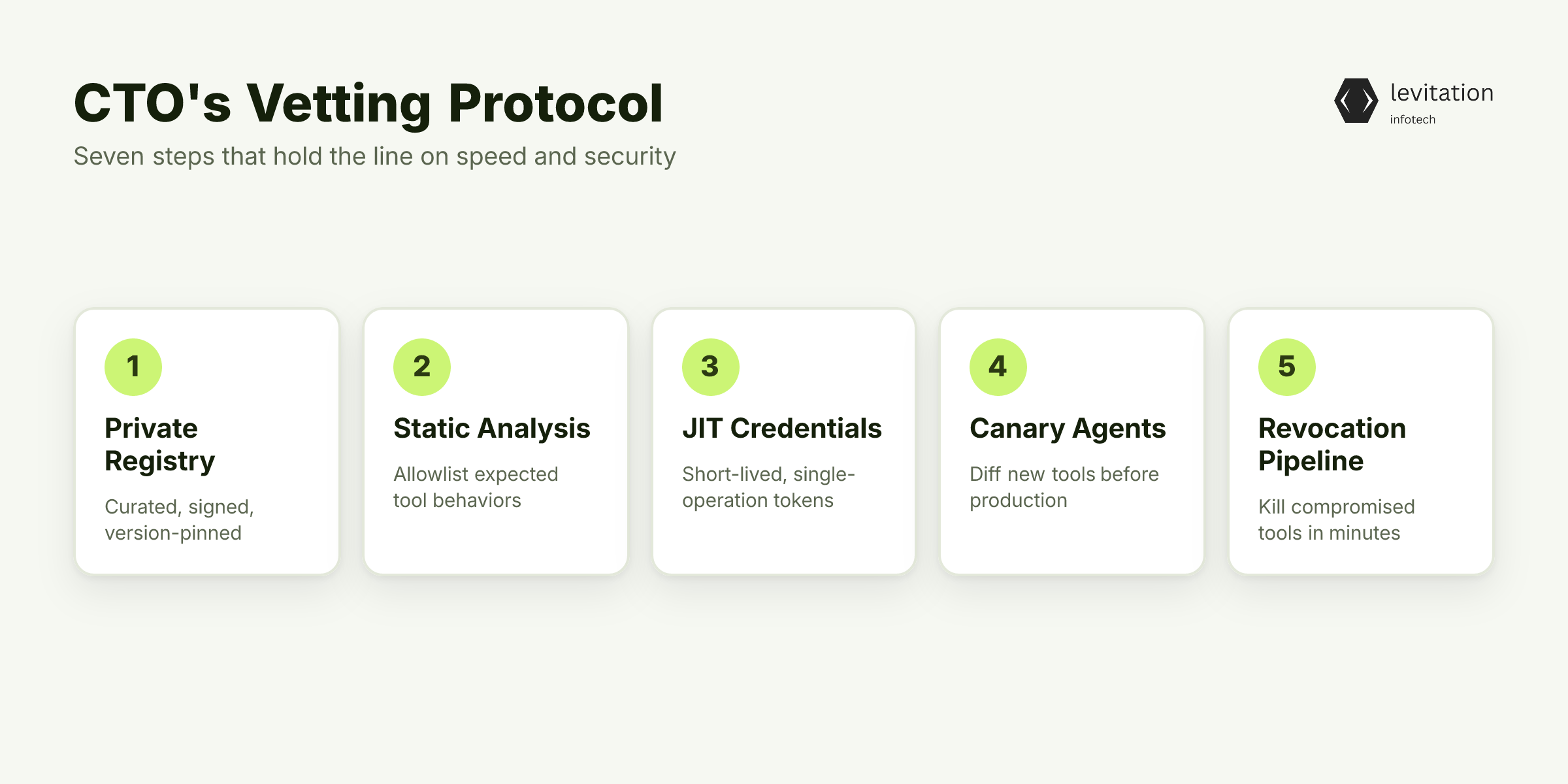
Speed and security are not opposites here. They are the same problem solved at different points in the pipeline. Here is a seven-step protocol that holds the line on both. - Step 1: Maintain a private MCP registry. Curated, signed, version-pinned. Block agents from reaching public registries directly. This single change eliminates the largest attack surface in one move. - Step 2: Run automated static analysis on every tool's source. Flag dynamic code execution, outbound network calls, and file system access patterns. Reject anything that does not match an allowlist of expected behaviors. - Step 3: Require SBOMs and dependency provenance for every MCP server. Treat third-party dependencies with the same scrutiny as production code, because they run with the same permissions. - Step 4: Issue just-in-time credentials. Each tool call gets a short-lived token scoped to a single operation. No long-lived secrets means no persistent foothold for an attacker. - Step 5: Deploy canary agents. Invoke new tools against synthetic data and report behavioral diffs before production rollout. You catch rug pulls in staging, not in the incident channel. - Step 6: Establish a version-pinning policy with a maximum lag window. Auto-update only after a diff review, never silently. A review window before auto-update is the difference between catching a malicious update and shipping it to production. - Step 7: Create a revocation pipeline. A compromised tool can be killed across the fleet within minutes, not days. Speed of response is what limits blast radius.
Our MCP server hardening checklist covers all seven of these.
All seven steps are defensible to the board. The question every CFO asks next is the one nobody wants to answer.
The Speed-Security Tradeoff Nobody Wants to Quantify
Every gate added to MCP adoption slows the developers building agentic workflows your competitors are also racing to ship. That tension is real, and pretending otherwise is how security teams get bypassed.
The reframe matters. Governance done right compresses incident response time, and that is where real cost lives.
The Snap settlement and the Samsung leak were not prevention failures. They were response failures. Teams that could not trace which tools had accessed customer data before a breach paid the price.
Faster governance means faster recovery, and faster recovery means lower total cost of an incident even if one occurs.
So what does an organization actually look like six months after getting this right?
What Changes When Your MCP Fleet Is Actually Governed
The operational payoff shows up first. Security teams can answer "which tools touched customer data last Tuesday" in seconds, not forensic weeks.
The data is in the logs because the logging layer was mandatory from day one. The correlation rules were built when the registry was small enough to audit manually.
The business payoff follows. AI agent initiatives ship faster because approved-tool status is a known, fast path rather than a security review lottery.
Developers stop shadow-IT-ing tool downloads because the private registry has what they need, signed and version-pinned. Velocity goes up, not down, once governance is in place.
The strategic payoff is the one that matters at the board level. MCP governance becomes a defensible asset.
The organization can adopt the next wave of agentic capabilities without repeating the same risk cycle. Our MCP governance maturity model is the roadmap most teams use to get there.
This is also why the AI failures that hurt most are not LLM issues at all. They are governance issues wearing a technical mask. Fix the governance and the failure modes shrink dramatically.
Frequently Asked Questions
What are the biggest MCP security risks for enterprise deployments?
The most damaging risks are tool poisoning (malicious tool descriptions that trick agents into unsafe calls), rug pull attacks (tools that change behavior after initial approval), context poisoning (persistent manipulation of agent memory or state), and credential sprawl across ungoverned MCP servers. These compound: an over-privileged agent with access to poisoned tools produces an incident that audit logs cannot reconstruct.
How do you prevent tool poisoning in Model Context Protocol environments?
Treat tool descriptions as untrusted input, pin and hash schemas, run static analysis on every MCP server before it enters your registry, and require human review for any tool whose description contains instructions targeting the agent itself. Automated diffing of tool metadata against previous versions catches rug pulls before they reach production.
Is the Model Context Protocol secure by default?
No. The MCP specification assumes trust between the host, client, and server. It provides no built-in authentication, authorization, or code-signing requirements. Security is entirely the implementer's responsibility, which is why governance, not protocol features, is where enterprise defense actually lives.
How should enterprises govern the AI agent supply chain?
Treat MCP servers the same way you treat any third-party software dependency: maintain a curated private registry, require SBOMs and provenance metadata, sandbox execution, enforce least-privilege credentials per call, and log every tool invocation with full parameter capture. Version pinning with a review window before auto-update is the single most effective control.
What is context poisoning in MCP systems?
Context poisoning is when an attacker manipulates the persistent state, shared memory, or tool descriptions an agent relies on. A later, unrelated prompt then triggers compromised behavior.
Unlike prompt injection, it persists across sessions. It is also invisible to input-filtering controls because the malicious content was loaded earlier through a trusted channel.
Want a starting point? Our MCP server hardening checklist maps the first 30 days.
Sources
Research and references cited in this article:
- 11 Emerging AI Security Risks with MCP (Model Context Protocol)
- MCP Security Risks: Common Vulnerabilities and Threats
- Plug, Play, and Prey: The security risks of the Model Context Protocol | Microsoft Community Hub
- MCP Security Risks: What Every Team Should Know
- Top AI Security Vulnerabilities to Watch out for in 2026
- Shadow AI: Causes, Consequences, and Best Practices for Control
- These 4 AI governance tips help counter shadow agents | Google Cloud Blog
- Shadow AI in Your Codebase: A Hidden Supply Chain Risk | Blog | Endor Labs
- Shadow AI Management: Enterprise Best Governance Practices
- What Is Shadow AI? How It Happens and What to Do About It - Palo Alto Networks
- 18 AI Privacy Violations: Real Examples (2026) - Enzuzo
- 5 Real AI Agent Security Breaches in 2026 and Their Lessons
About the author
Mayank Singh is a software developer at Levitation Infotech, where he builds web and AI-powered applications across the company’s fintech, healthcare, and enterprise projects.