


TL;DR: A free agent build can still create an expensive workflow. For some Indian SME workflows, a person, process redesign, or fixed-rule automation may cost less once supervision, errors, and rework are counted.
Key Takeaways: - Judge AI by cost per correctly completed workflow, not by a free build or cheap interaction. - Choose an agent only for contextual judgment, bounded actions, and measurable correctness. - Run a workflow economics audit before requesting a demo, pilot, or custom quote.
The Free Agent Is Not the Free Decision
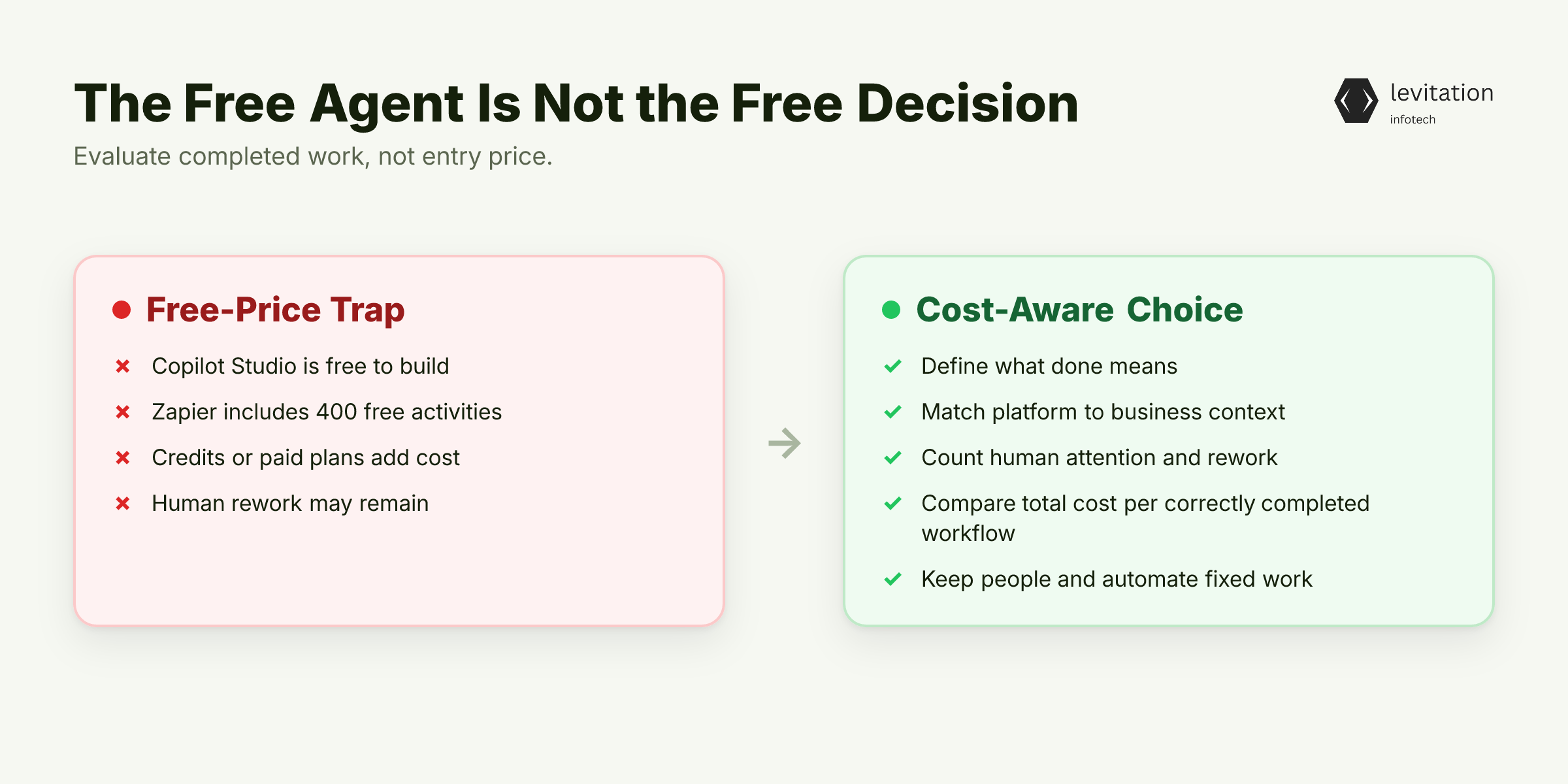
An SME can start with a free agent build. That sounds like a bargain. Yet the lower-cost decision may be to keep the human and automate only fixed work.
Microsoft Copilot Studio is free to build. Agent usage is billed in credits at about US$0.01 each. A monthly package of 25,000 credits costs US$200.
Zapier Agents includes 400 agent activities on its free plan. Paid agent plans start at about US$33 monthly when billed annually, with 1,500 activities.
Here is the trap. A zero build price says nothing about the cost of completed work. - Copilot Studio: Fits businesses centred on Teams, Outlook, SharePoint, and Microsoft 365. - Zapier Agents: Fits businesses whose required applications already connect through Zapier. - The buying metric: Total cost per correctly completed workflow, including human attention and rework.
The platforms aren't interchangeable. One wins through Microsoft context. The other reaches many applications through existing connections.
Before choosing either, define what “done” means. A chain of actions doesn't count if a person must still fix every record.
An AI workflow automation agent that triggers work but leaves records broken hasn't completed the workflow. A list of top generative AI companies in India can identify candidates. It can't tell you whether the workflow needs autonomy.
The practical conclusion is straightforward. For repeatable work, keeping a person or fixed rules may cost less.
The entry price is visible. The expensive part begins after the agent starts touching the business. What appears on that bill?
Where AI Agent Costs Appear After Launch
Treat an agent like a new hire. It needs onboarding, supervision, and occasional review. Unlike conventional software, its mistakes can reach live systems.
Build one ledger: - Platform subscription or usage credits - Employee time spent reviewing decisions and exceptions - Rework caused by incorrect output - Integration and access-control work - Ongoing effort to keep the workflow aligned with changing business rules
Keep these costs in one operating model. One cheap interaction can create enough exception work to cost more than the current process.
In a simple example, a sales assistant drafts clean emails but sends an incorrect offer. The interaction fee looks cheap. Correction, approval, and customer recovery dominate the real cost.
The relevant measure is cost per correctly completed workflow. A cheap interaction that creates exception handling may cost more than the process it replaced.
The best choice depends on the business's needs, budget, and data sensitivity. Sensitive workflows require deliberate deployment and governance beyond a low-risk internal workflow.
Do not put a lightweight no-code pilot beside an enterprise AI solution and ask which is cheaper. A pilot tests fit and cost. An enterprise deployment adds governance, reliability, and ownership.
Enterprise-grade AI becomes relevant only after the use case has earned that complexity. External implementation is one line in the ledger. It cannot replace the business case.
Ask an AI development services partner to measure supervision and error costs, not merely show a working demo. The same ownership point appears in AI pilots that stall on ownership, not models.
Once hidden costs are visible, the decision becomes less about AI capability. It depends on whether the workflow actually needs judgment. Does it?
The No-Agent Decision Tree for SME Workflows
Most agent proposals start with the tool. A CEO should start with the decision.
No-agent route
Choose people, process redesign, or existing deterministic automation when: - The workflow follows repeatable rules. - Expected savings cannot cover supervision and rework. - Sensitive data isn't ready for an approved AI deployment.
This route isn't anti-technology. It protects margin from complexity the workflow doesn't yet need.
Deterministic automation route
If applications are already connected, use workflow automation without an autonomous decision layer. The next action should follow clear rules.
The absence of an AI agent doesn't mean the absence of technology. Introduce an AI workflow automation agent only when contextual interpretation becomes necessary.
Bounded-agent route
Consider an agent only when the workflow requires contextual interpretation. The agent must also follow a bounded sequence across tools and have a measurable definition of correct completion.
Use this three-lane decision matrix: - No Agent: Choose when variation is low, exceptions need human judgment, or sensitive deployment isn't approved. - Workflow Automation: Choose when triggers and actions are fixed, applications are connected, and correctness follows clear rules. - AI Agent: Choose when interpretation varies within bounds, actions cross tools, and outcomes can be evaluated.
Score the workflow across six dimensions: - Decision variability: Low variation favours no agent or deterministic automation. Contextual variation supports an agent. - Exception frequency: Rare, rule-like exceptions favour automation. Frequent ambiguous exceptions favour people. - Workflow volume: Low or irregular flow may not justify setup. Repeated flow gives automation more chances to pay back. - Data sensitivity: High sensitivity raises governance and approval requirements before deployment. - Reversibility: Easy correction supports a bounded pilot. Costly reversal demands tighter controls. - Supervision: If nobody will own review and exceptions, the agent route fails.
Record the reason beside the selected lane. Platform preference isn't a reason.
An AI workflow automation agent is most compelling after this test. Its value comes from improving a defined process, not adding AI because it's available.
Treat data sensitivity as a deployment gate, not a moral footnote.
End-to-end completion matters too. Your AI reads the X-ray, but your workflow still faxes shows how polished output can hide unfinished operations.
Before selecting the agent lane, ask an enterprise AI solutions reviewer to test permissions, evaluation, and operations. An AI development services partner should test the same business case.
The next question is practical: can your CEO approve this choice on one page without discovering costs later?
Run a Workflow Economics Audit
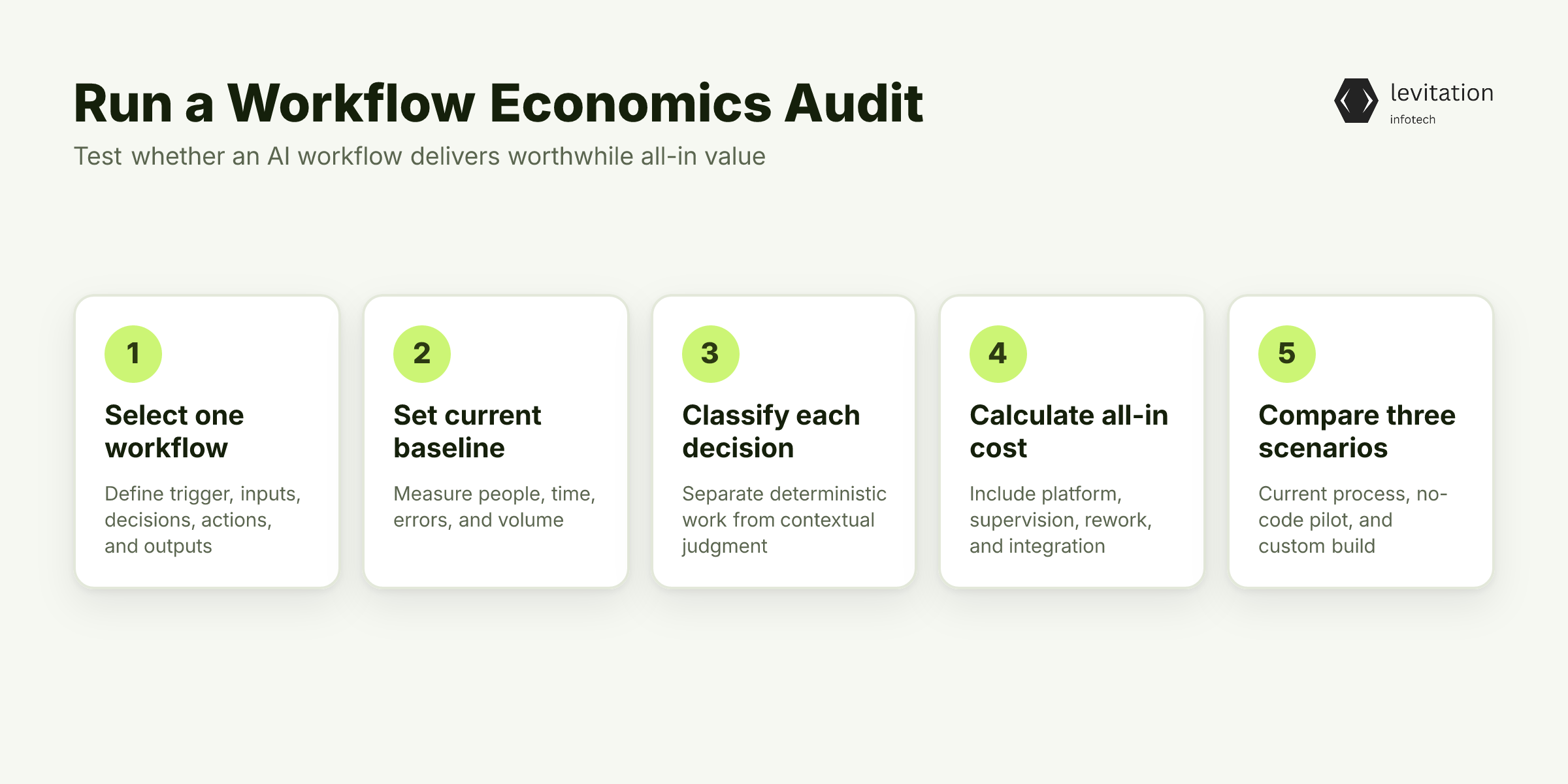
A decision tree gives a route. The audit tests whether that route survives contact with actual work.
Step 1: Select one workflow
Avoid broad labels such as “improve customer service.” Use “process a sales quote” instead.
Write down the trigger, inputs, required decisions, permitted actions, outputs, and exception path. Downstream work counts too. A polished result isn't complete while staff still re-enter it elsewhere.
Step 2: Set the current baseline
Record the present process: - People who touch the workflow - Time required for completion - Points where errors are corrected - Actual business volume
Use observed operating data, not best-case estimates. Promotional entry prices cannot fix an inaccurate baseline.
Step 3: Classify each decision
Sort decisions into two groups: - Deterministic: Fixed rules, calculations, and approved lookups usually belong in conventional automation. - Judgment-based: Contextual interpretation may justify an agent's added cost.
A process can contain both. Keep the deterministic work deterministic.
Step 4: Calculate monthly all-in cost
Monthly all-in cost = platform fee + usage credits + supervision time + error-related rework + integration and access-control work.
Divide that monthly cost by correctly completed workflows to get cost per completion.
Use actual volumes and invoice terms. Promotional entry prices are inputs, not conclusions. - Microsoft Copilot Studio: US$0 to build; about US$0.01 per credit; US$200 monthly for 25,000 credits. - Zapier Agents: 400 activities per month on the free plan; about US$33 monthly when billed annually for 1,500 activities.
Ask for current overage and adjacent integration charges if activity exceeds the included allowance. Don't infer prices that weren't verified.
Step 5: Compare three scenarios
Place these scenarios side by side: - Keep the current process. - Pilot a no-code agent. - Scope a custom build.
Use the same baseline, volume, and error assumptions in every scenario. An AI workflow automation agent pilot should face the same comparison as a custom proposal.
An AI development services partner can help structure the comparison, but management must approve the assumptions.
Step 6: Define a pilot gate
Use four measures: - Correctly completed workflows - Supervision effort - Exception rate - Total cost per completion
If the business case depends on unreported human review time, postpone approval. Hidden supervision is still a cost.
Keep the worksheet CEO-readable: one page, one recommended route, one measurable next step. No agent architecture details belong there until the workflow has justified them.
The audit should end with one of three decisions, not a shopping list of AI platforms. Which decision will your first workflow earn?
Choose No Agent, No-Code, or Custom AI Agent Development
The audit establishes a route and its constraints. It doesn't select a platform by logo.
Use this final choice matrix: - No Agent: Retain people or deterministic rules when supervision dominates. Choose this when mistakes are hard to reverse or sensitive deployment isn't approved. - No-Code Agent: Choose Copilot Studio for a Microsoft-centred business. Choose Zapier Agents when the required applications already connect through Zapier. The existing stack usually matters more than a generic feature comparison. - Custom Build: Choose it when validated demand requires domain-specific actions across systems, or when required production controls are missing from the no-code tool. Those controls may justify an enterprise AI solutions architecture.
Whether buying an AI workflow automation agent or commissioning a custom build, the proposal should contain: - The exact workflow boundary - Permitted actions and systems - Data access and retention boundaries - Evaluation cases and acceptable results - Human review points - Support ownership and escalation paths - A cost estimate with each item listed
Generative AI development may focus on content. Agent development can also select tools and take actions. Require the vendor to specify which decisions remain deterministic and where the agent has authority.
Ask every vendor for: - A workflow-specific demonstration - A deployment plan - An evaluation plan - A supervision model - Clear ownership of failures
Use top generative AI companies in India as a starting shortlist. Then filter teams against the workflow audit, not model-provider reputation alone.
The warning in why an expensive AI agent can be a Zapier workflow applies: naming doesn't prove agency.
Bring the one-page audit to an AI development services partner before requesting a quote. A mature provider should recommend the cheapest viable route, even if that route is no agent.
The right vendor cannot rescue a weak business case. The right operating model can turn a small win into a durable advantage. Which route earns the first budget?
Make the First Win Repeatable
A no-agent-first company doesn't reject AI. It refuses to fund autonomy without a measurable job.
The first win is preserving attention while establishing a measurable baseline. The AI budget stays reserved for work that can use it.
Give the operating team a scorecard with four fields: - Correctly completed workflows - Supervision effort - Exceptions and rework - Total cost per completion
Ask the workflow owner to review the scorecard at an agreed cadence. Review exceptions before celebrating automation.
Scale an agent only when the pilot raises the number of correctly completed workflows relative to the baseline. Supervision must not become the largest cost. If either test fails, return to the no-agent or deterministic-automation route.
Move from workflow to portfolio by preserving the audit and evaluation material. Use it to decide whether the next candidate deserves an agent.
Choosing no agent today can protect margin and attention. Choosing an agent too early can institutionalize supervision as a permanent expense.
With the completed audit, an AI workflow automation agent specialist or AI development services provider can recommend the cheapest viable route. The choice should not default to an agent.
Use top generative AI companies in India as a final shortlist only for teams whose audits support a custom path. The next workflow should face the same test: does it earn autonomy?
Frequently Asked Questions
How much does AI agent development cost for an Indian SME?
No-code entry can be inexpensive. Microsoft Copilot Studio is free to build, with usage billed at about US$0.01 per credit or US$200 monthly for 25,000 credits.
Zapier Agents includes 400 free activities. Paid plans start around US$33 monthly when billed annually for 1,500 activities.
A quote from AI development services should cover supervision, integrations, evaluation, and error rework. It should not rely on the platform entry price alone.
Can using no AI agent be cheaper than hiring an agent or additional staff?
Yes, when the workflow is deterministic. Existing staff or conventional automation can complete it at lower total cost.
It can also be cheaper when agent supervision and error correction would consume expected savings. Compare total monthly cost per correctly completed workflow, not licence price.
When should an SME use workflow automation instead of an AI agent?
Use workflow automation when triggers, decisions, and actions follow fixed rules or approved lookups.
Consider an AI workflow automation agent only when the process requires contextual interpretation. It must also use a bounded sequence of actions that can be evaluated for correctness.
Should an SME choose Microsoft Copilot Studio or Zapier Agents?
Choose Copilot Studio when the business is already centred on Microsoft 365, Teams, Outlook, and SharePoint. Choose Zapier Agents when the required applications already connect through Zapier. Compare that fit before paying for an agent.
The next test is whether that platform fit can survive a measured pilot.
About the author
Mayank Singh is a software developer at Levitation Infotech, where he builds web and AI-powered applications across the company’s fintech, healthcare, and enterprise projects.