


TL;DR: A green gateway connection proves one route works, not that a mixed Power BI model can refresh. Keep the gateway for supported on-premises paths. Separate native Lakehouse data from gateway-routed sources, or consolidate everything in the Lakehouse.
Key Takeaways: - A gateway connection test validates a path, not every source in a semantic model. - Mixed gateway and native-cloud sources need separate refresh contexts or full Lakehouse consolidation. - Technical routing, refresh compatibility, and governance need separate, auditable approvals.
Gateway Approval Is Not Lakehouse Readiness
Imagine approving the gateway connection to an on-premises SQL Server. The test passes.
The problem appears later: a mixed Power BI semantic model fails with "Cloud data source setting is not allowed refresh through gateway." The approval was genuine. It answered the wrong question.
The green test that answers too little
Consider a SQL Server connection that passes its credential and network checks. The same semantic model also points to a Fabric Lakehouse, which uses a native-cloud path. Power BI then attempts one model-level refresh and rejects the cloud source.
Gateway connectivity is real, but it covers one source.
The Power BI gateway architecture shows how one local client can bridge several cloud services. It does not make every destination gateway-compatible. The Microsoft Fabric Lakehouse follows its own native-cloud path.
What does that green test prove about the Lakehouse route?
The misleading success signal
A green status proves one route works. It does not prove every source can use that route during refresh.
This is the same false confidence behind a green canary dashboard. One signal covered the test, not the operating state.
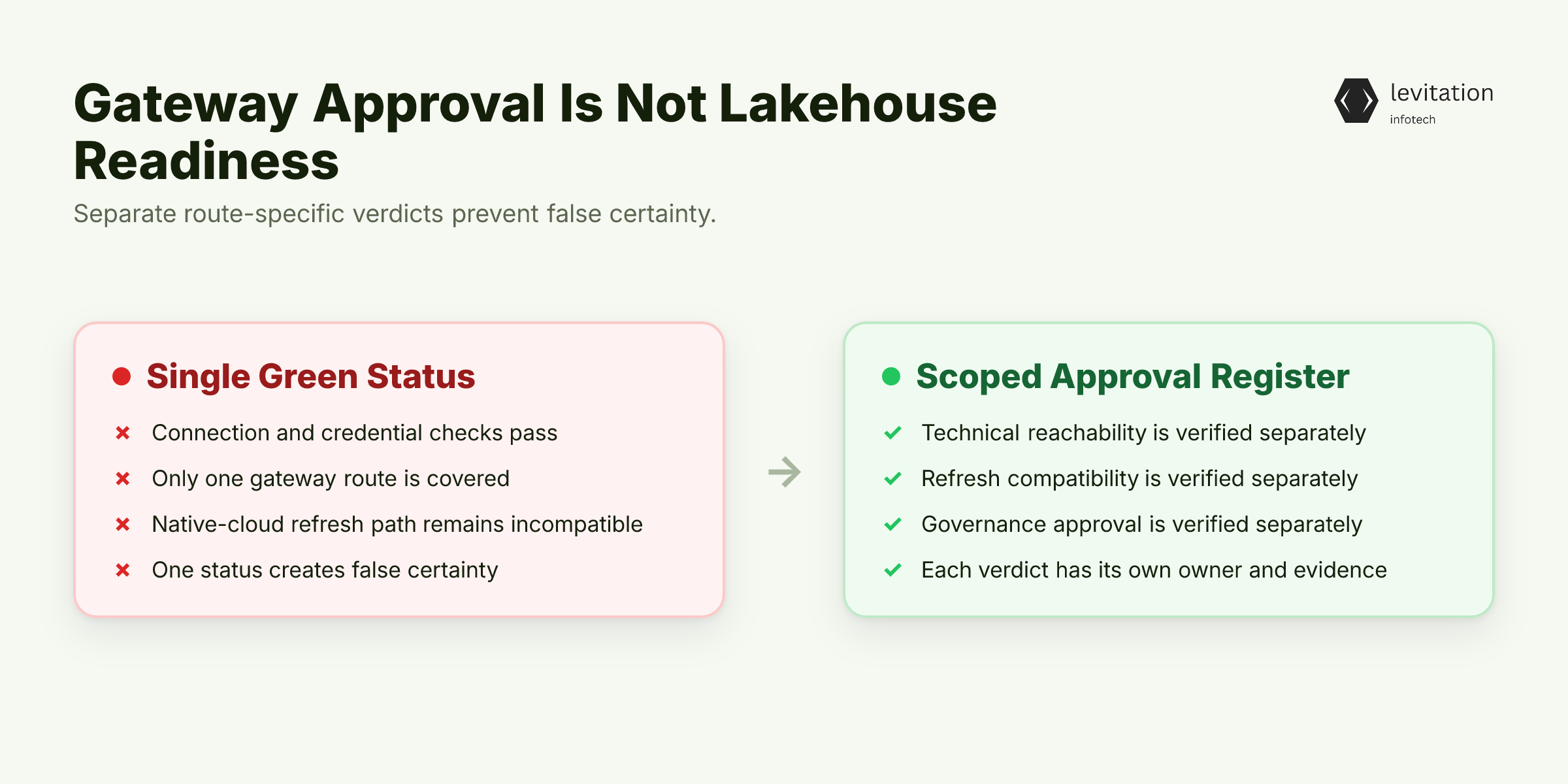
The issue is not a false approval. It is an ambiguous control.
Which control did the green test actually approve?
Three separate approval questions
A useful approval register needs three distinct verdicts: - Technical reachability: Can the gateway reach the source and use its credentials? - Refresh compatibility: Can this service refresh that source along its required path? - Governance approval: Are lineage, ownership, access, and policy evidence present?
Recording all three under one green status creates false certainty. Each verdict needs a different owner and its own evidence.
Which of these verdicts did the gateway test cover?
The expensive troubleshooting detour
Adding gateway capacity or fixing SQL credentials will not make a native-cloud source behave like an on-premises source. The error is a routing-contract failure, not a capacity or data-quality failure.
Audit the approval register now. Add fields for source type, refresh path, semantic model, and governance evidence.
If gateway approval is only a path-level verdict, which paths does it actually control?
Data Gateways Are Directional Connectors, Not Universal Routers
A gateway can look universal because one box sits between networks. Its actual ability depends on direction, source type, and destination.
Path one: On-premises source to Power BI
Power BI Service can ask the gateway to query or refresh an eligible on-premises SQL Server. The gateway opens the local connection and relays the request.
Here is the useful path: SQL Server → on-premises gateway → Power BI Service.
What changes when the destination is a Lakehouse?
Path two: On-premises source to Lakehouse
The June 2023 release made the on-premises gateway necessary for loading on-premises data into a Lakehouse. This route covers ingestion into the Lakehouse. It does not make the Lakehouse a gateway-compatible Power BI source.
Can the Lakehouse then feed Power BI through its native path?
Path three: Native Lakehouse to Power BI
A Fabric Lakehouse is a native-cloud source. In the affected mixed model, routing it through the gateway is unsupported. Power BI should use its native path for that connection.
The architecture now has three distinct routes: - SQL Server → gateway → Power BI Service - SQL Server → gateway → Lakehouse - Lakehouse → Power BI Service
Which route wins when one model contains both source types?
Direction changes capability
The gateway initiates outbound connections and needs no inbound ports. Cloud work returns over that established session.
An outbound tunnel solves network initiation. It does not decide whether a destination supports gateway-based refresh. Capability depends on agreement among the route, source type, and consuming service.
Redraw your hybrid data architecture with source labels, arrows, and refresh destinations. Remove the generic gateway box between every system.
For on-premises data gateway deployment, map gateway-supported destinations separately from native-cloud destinations. Separate paths reveal the fault.
Why does one dataset force them back together?
Why SQL Server and Lakehouse Break in One Semantic Model
Imagine an Orders table from SQL Server joined to a Forecast table from Lakehouse. The report author can build a valid join. That join still does not create two independent refresh paths.
One semantic model creates one refresh context
In this failure mode, Power BI Service treats all connections in the model as one refresh context. It does not split gateway and native-cloud routing inside that dataset.
The dataset boundary becomes the refresh boundary.
Why does that boundary block a valid join?
The engine follows the dataset's path
When the on-premises source establishes the gateway path, the service expects every connection to follow it. That expectation includes the native-cloud Lakehouse connection.
Routing becomes a model-wide contract, even though the sources live in different environments. Removing one connector does not create a second refresh context. It only changes the model's contents.
Where does this contract fail first?
Validation fails before the useful fix begins
The exact failure, "Cloud data source setting is not allowed refresh through gateway," is therefore a routing-contract error. It occurs during refresh validation, before work on credentials, capacity, or data quality can begin.
Start with data refresh troubleshooting. Capture the exact message, source list, and gateway assignment before changing settings.
Which topology removes the conflict without breaking reports?
Two supported topology choices
Two supported topologies resolve the boundary: - Split the Lakehouse dataset. Refresh it through its native path. Connect it to the gateway-backed model through a Power BI composite model. - Consolidate in the Lakehouse. Move all required data there. Use the gateway for the on-premises load.
Choose the split when source ownership and release cadences differ. Choose consolidation when one refresh target outweighs the migration work.
Neither option requires more gateway capacity. Each changes the model boundary or data location.
Search the semantic-model inventory for datasets combining gateway-routed SQL Server with native-cloud Lakehouse data. Do not log this as a gateway incident. Record it as a model-boundary decision.
How do you recover without breaking reports?
A Recovery Runbook That Respects the Refresh Engine
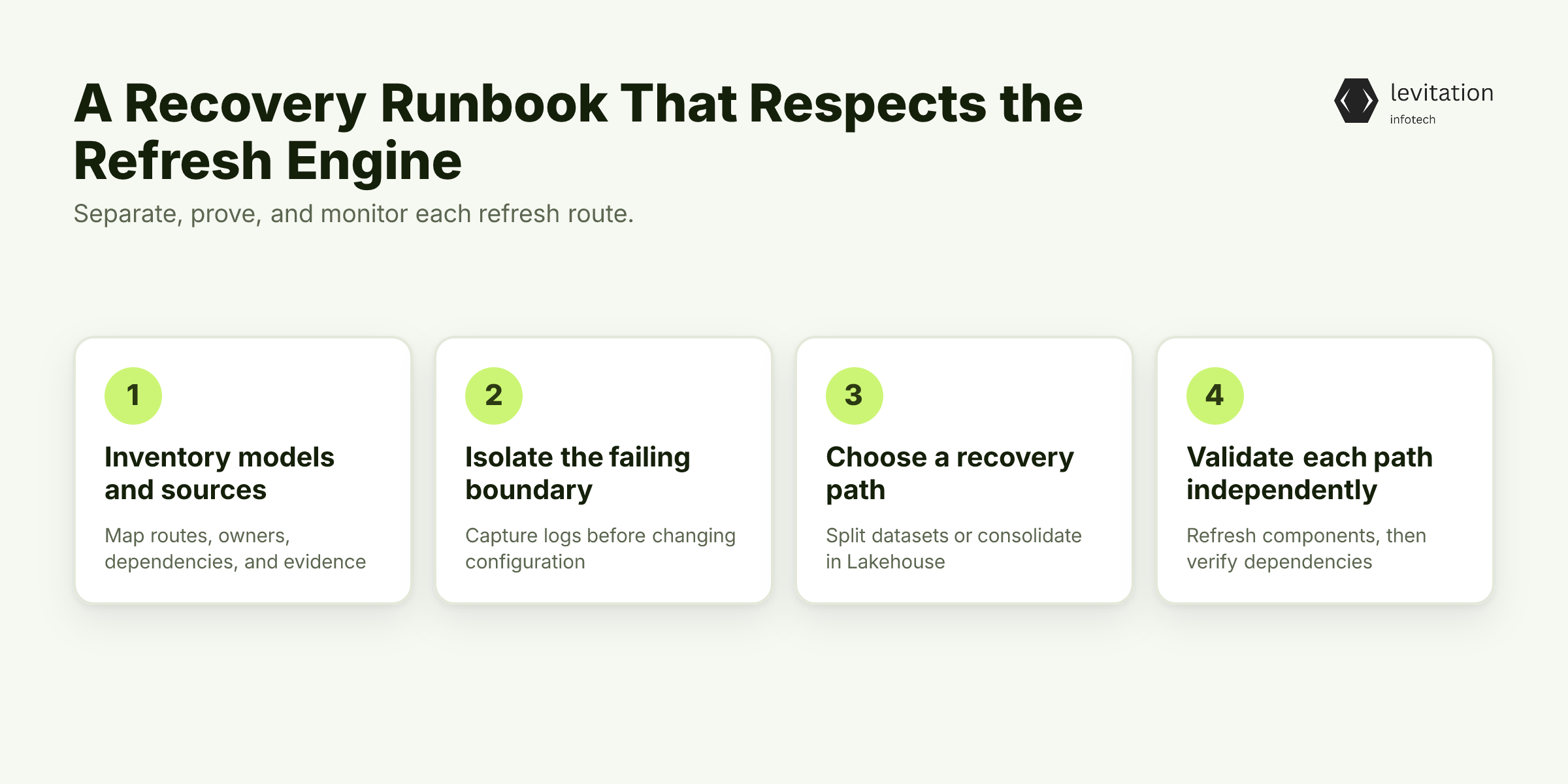
Recovery works only when each route is proven on its own. The runbook below fixes the model boundary before it touches the gateway.
Step one: inventory every model and source
Record each connection's source, location, gateway dependency, refresh destination, owner, and consuming model. Use a simple inventory: - Source and physical location - Gateway dependency and refresh destination - Business owner and consuming model - Required governance evidence
For example, Orders might be gateway-routed SQL Server data. Forecast might be a native Lakehouse table used by the same report.
Which other models share that boundary?
Step two: isolate the failing boundary
Search for models that mix gateway-routed on-premises data with native-cloud Lakehouse data. Capture the validation message and relevant refresh logs before changing configuration.
Freeze changes long enough to record the source-to-destination route for each connection. Otherwise, a credential change can hide the real routing defect.
Which boundary should you fix first?
Option A: split the Lakehouse dataset
Move the Lakehouse data into its own dataset and refresh it through its native-cloud path. Keep the on-premises dataset gateway-routed. Connect them through a composite model at the consumption layer.
This option limits the blast radius of a failing refresh. It also preserves different release cadences for source teams. The cost is an extra model dependency that needs explicit monitoring.
When does that isolation justify the extra dependency?
Option B: consolidate in the Lakehouse
Move all required data into the Lakehouse. Use the on-premises gateway to load eligible local sources into it.
This approach creates one refresh target and one primary consumption path. It also requires migration planning, permission review, and ownership changes. The lakehouse consolidation pattern makes those shifts explicit.
Which path gives the reporting layer the simplest control model?
Step three: validate each path independently
Refresh the on-premises and Lakehouse components separately. Then verify the composite-model dependency.
Check four conditions: - The SQL Server refresh succeeds through its gateway. - The Lakehouse refresh succeeds through its native path. - Combined measures remain valid after model reconnection. - The documented route matches the service logs.
Then refresh the consumption model. A successful final refresh confirms the topology works. Only separate tests prove that each path remains valid.
Can a clean refresh also prove the estate is ready for governance and handover?
Make governance path-aware
Maintain separate lineage maps for ingestion and consumption. One follows data into the Lakehouse. The other follows data from models into reports.
Record the control owner and evidence for connectivity, refresh compatibility, data governance, and policy enforcement. Use data lineage architecture for source-to-destination lineage. Use policy enforcement controls for the operating controls attached to each route.
This is the same distinction between speed and provenance described in Vector Speed Loses to AI Data Provenance. Fast movement does not replace an accountable path.
Produce a one-page decision record for every mixed model. It should name: - The chosen topology - The rejected alternative and reason - The accountable owner - The validation evidence - The escalation path
A clean refresh proves the topology, not that the resulting data estate can be governed and handed over safely.
What evidence closes that gap before handover?
Choose an Operating Model That Survives Handover
A supported refresh path still needs an operating owner. Without one, the next upgrade can recreate the same failure.
Compare build and buy on operating cost
An in-house team owns the full burden: - Gateway software and host management - Clustering, recovery, and version upgrades - Credential storage, monitoring, and on-call support - Finding and fixing incidents, plus Microsoft service escalation
A managed data gateway can transfer part of that work. It should not transfer responsibility for source mappings or semantic-model boundaries.
Which costs can a provider remove without taking architectural control?
Use longevity as diligence evidence
Suppose a provider cites systems still running in production after deployment. Treat longevity as a diligence lead, not proof.
Ask for named deployments, support boundaries, and upgrade responsibilities. Review the gateway high availability design behind those deployments. Production age cannot show that your workload fits.
What evidence shows a real workload fit?
Quantify time to a governed service
Suppose a provider contrasts a managed deployment estimate with an in-house estimate. Verify that both estimates cover the same scope.
Installation is not a governed service. Credentials, recovery keys, monitoring, ownership, and refresh documentation determine the actual elapsed time.
Which hidden tasks must both estimates include?
Treat retention as partnership evidence
If a provider cites client retention, ask for the cohort, scope, exclusions, and reasons for leaving. Retention can support continuity. It cannot replace service-level evidence.
Which service levels will you hold the provider to?
Preserve architectural accountability
Whether managed or in-house, retain ownership of the source inventory, path decisions, governance evidence, and escalation process. A provider can operate the tunnel. It should not decide semantic-model boundaries.
Operating ownership and evidence are settled only when every handover includes a route map and a named responder. With those in place, the final decision can fit on one page.
Which model can your executive team explain and approve?
The CTO Decision in One Page
The final decision has four parts: - Keep what works. Retain the gateway for eligible on-premises connectivity and for loading on-premises data into the Lakehouse. - Change what does not. Stop treating native-cloud Lakehouse refreshes as gateway-routed. Remove mixed refresh contexts from one semantic model. - Make approval auditable. Separate technical routing, data lineage, and policy-enforcement evidence. A green gateway status must not imply governed lakehouse readiness. - Define the payoff. Gain a supported refresh topology, clearer approvals, and explicit operational ownership.
Use the CTO data platform decision template to record the decision. Pair it with a data governance operating model that assigns ongoing control ownership.
The decision is clear. Which recurring edge cases still threaten it?
Frequently Asked Questions
Can a Power BI data gateway query a Microsoft Fabric Lakehouse?
Not as a native-cloud, gateway-routed source inside the affected mixed semantic model. The gateway remains necessary for loading on-premises data into a Lakehouse. That ingestion role does not make the Lakehouse gateway-routable during a Power BI refresh.
Why does refresh fail with "Cloud data source setting is not allowed refresh through gateway"?
Power BI Service treats all sources in a semantic model as one refresh context in this failure mode. It cannot split gateway and cloud routing within that model. When SQL Server establishes the gateway path, the native Lakehouse connection is forced onto that incompatible path.
How should we fix a semantic model that mixes SQL Server and Lakehouse data?
Use one of two supported patterns. Place the Lakehouse data in its own dataset and connect the datasets through a composite model. Or move all data into the Lakehouse. Refresh the paths independently before reconnecting the consumption layer.
Does gateway approval prove data governance, lineage, and policy enforcement?
No. Gateway approval is evidence about a technical connection or refresh path. Maintain separate evidence for lineage, ownership, access policy, and enforcement across every source-to-destination path.
When is the on-premises data gateway still required for Fabric Lakehouse workloads?
It is required for loading on-premises data into the Lakehouse, according to the June 2023 release. That requirement applies to the ingestion path. It does not imply that a native Lakehouse source can be queried through the gateway during a mixed-model refresh.
Before accepting handover, use the linked templates to answer these questions with evidence. Which route will remain supportable when both the platform and its owners change?
About the author
Mayank Singh is a software developer at Levitation Infotech, where he builds web and AI-powered applications across the company’s fintech, healthcare, and enterprise projects.