

TL;DR: GPU time-slicing looks like a clean 60% win on your AI infrastructure bill. The same ConfigMap that produces that saving also erases the memory wall between tenants. One customer's KV cache or training gradients can sit in shared HBM until another customer reads them. Use MIG for any multi-tenant production slice. Reserve time-slicing for trusted-tenant dev and batch work. Layer both with spot instances and committed-use discounts to hit 70%+ total savings without leaking.
Key Takeaways: - Time-slicing alone delivers 20-50% savings, but every replica on a time-sliced GPU shares the same physical HBM with no memory or fault isolation. - Cold-cache side-channel attacks can reconstruct prompts, model weights, and optimizer state from HBM residue left by a preempted context. - MIG (A100, H100) gives you hardware-isolated memory and compute. For multi-tenant inference and regulated training, MIG is not optional. - You can stack MIG, time-slicing, spot, and commitments on the same fleet. Compounded, the four-layer pattern routinely clears 70% off baseline on-demand cost.
Your team cut AI infrastructure costs by 60% last quarter. You also started letting Customer A's inference queries leave residual KV cache fragments in the same GPU memory that Customer B's model reads from seconds later. Nobody noticed. Nobody was looking.
The 60% Saving That's Mixing Your Tenants' Data
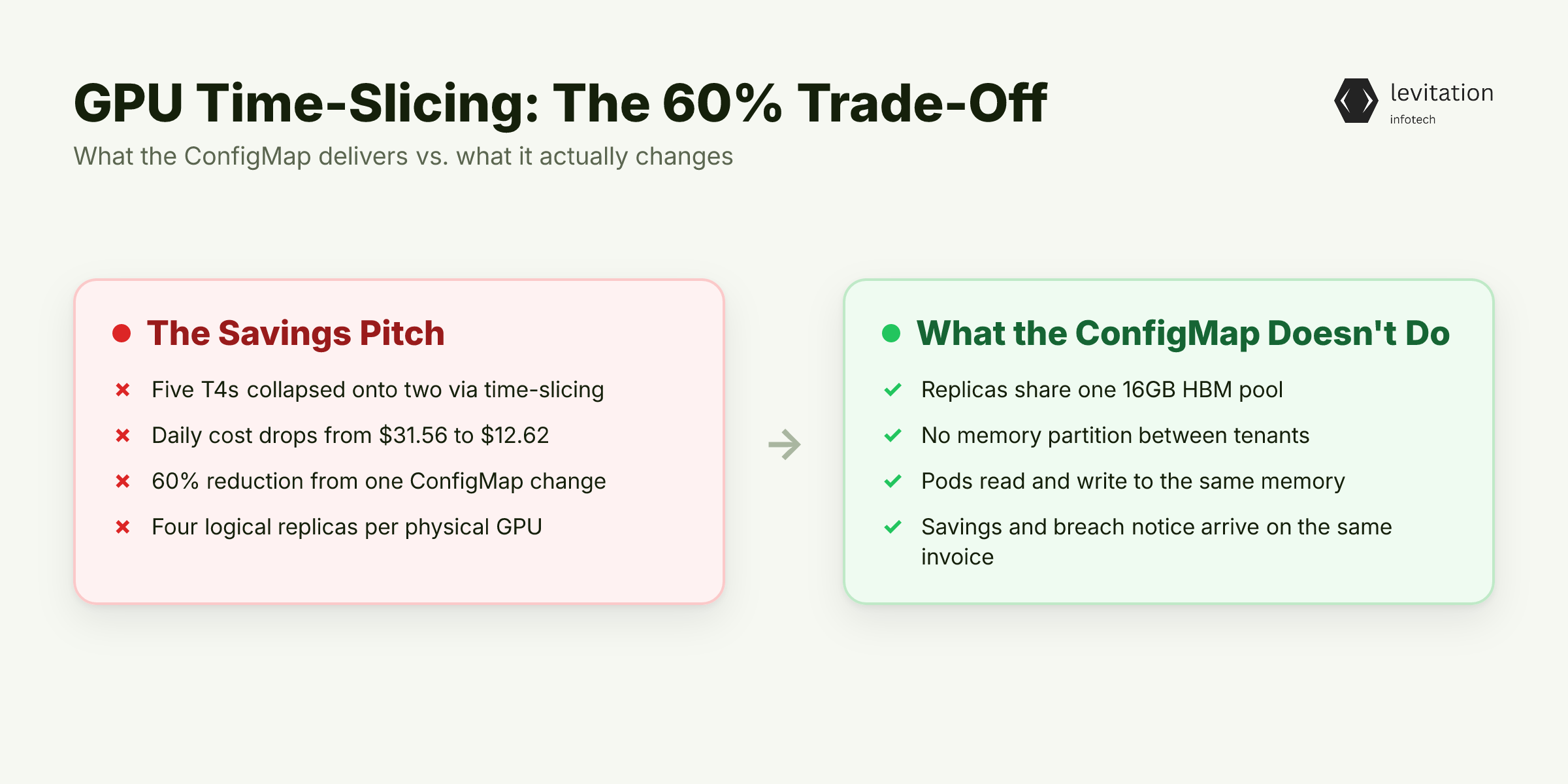
The cost math is the kind of number that lands well in a QBR. Five data scientists on dedicated T4 GPUs at $0.526 per hour burn through $31.56 per day. That assumes 50% idle time. Consolidate them onto two shared T4s with time-slicing and the line item drops to $12.62 per day. That is a 60% reduction, delivered by a single ConfigMap change to the NVIDIA device plugin.
The ConfigMap is the whole pitch:
1apiVersion: v12kind: ConfigMap3metadata:4 name: time-slicing-config5 namespace: gpu-operator6data:7 tesla-t4: |8 version: v19 sharing:10 timeSlicingConfig:11 replicas: 4
Four logical replicas per physical T4. Five notebooks, one GPU, problem solved. The trouble is what that ConfigMap does not do.
It creates logical replicas. It does not partition the 16GB of HBM underneath those replicas. There is one pool of physical memory. Every pod that lands on those replicas reads and writes to the same pool.
The savings arrive on the same invoice as the breach notice. Platform teams rarely connect the two until an incident response drags them into a postmortem six months later.
The number on the invoice is correct. The problem is that the same ConfigMap that produced that number also removed the wall between your tenants' workloads.
Why Every Platform Engineer Reaches for Time-Slicing First
Time-slicing is a feature of the NVIDIA GPU Operator. You install the operator and drop a ConfigMap like the one above. The device plugin then advertises virtual GPUs as allocatable resources in your cluster. No kernel module rebuilds. No driver upgrades. No custom scheduler. It is a YAML change and a `kubectl patch`, the kind of edit that fits inside a sprint.
It also works on GPUs that have no MIG support. If you run a mixed fleet of T4s for inference and K80s for batch, MIG only applies to your single A100. Time-slicing covers the rest, which is most of your cost base.
The official NVIDIA documentation is unusually honest about the trade:
"Time-slicing trades the memory and fault-isolation that is provided by MIG for the ability to share a GPU by a larger number of users. Time-slicing also provides a way to provide shared access to a GPU for older generation GPUs that do not support MIG."
Most teams read the heading, ship the ConfigMap, and stop reading. The word "trades" is doing a lot of heavy lifting in that sentence.
That simplicity is exactly what makes the failure mode invisible. To see the leak you have to look at the silicon, not the Kubernetes manifest.
There Is No Memory Wall: How Time-Slicing Leaks at the Hardware Level
Time-slicing is time-division multiplexing at the CUDA context level. The scheduler rotates which context is "current" on the SMs. It does not rotate memory.
The physical GPU memory, the HBM stack, is one shared pool. Every CUDA context on that GPU can allocate into it. The CUDA driver does not zero memory between contexts.
When Tenant A's inference process is preempted, the GPU stops scheduling its work. Its KV cache, attention tensors, and embedding buffers do not move. They stay resident in HBM until the next allocator pass overwrites them.
Tenant B's next context switch allocates into the same physical pages. If the new allocation is smaller than the residual footprint, the prior bytes are still there. They sit at predictable offsets, waiting to be read by a side-channel probe.
Cold-cache attacks against shared GPUs have been shown in research. The attack surface is real. For AI/ML training workloads specifically, the leaked state often contains partial gradients, optimizer state, and tokenized input sequences. Adam moments are particularly valuable to attackers. This is exactly the data you signed a BAA to protect.
If the hardware is shared, the question changes. It is no longer whether data leaks. It is what an attacker can actually reconstruct from the residue. The answer is worse than most teams assume.
The Attack Surface Nobody Audits
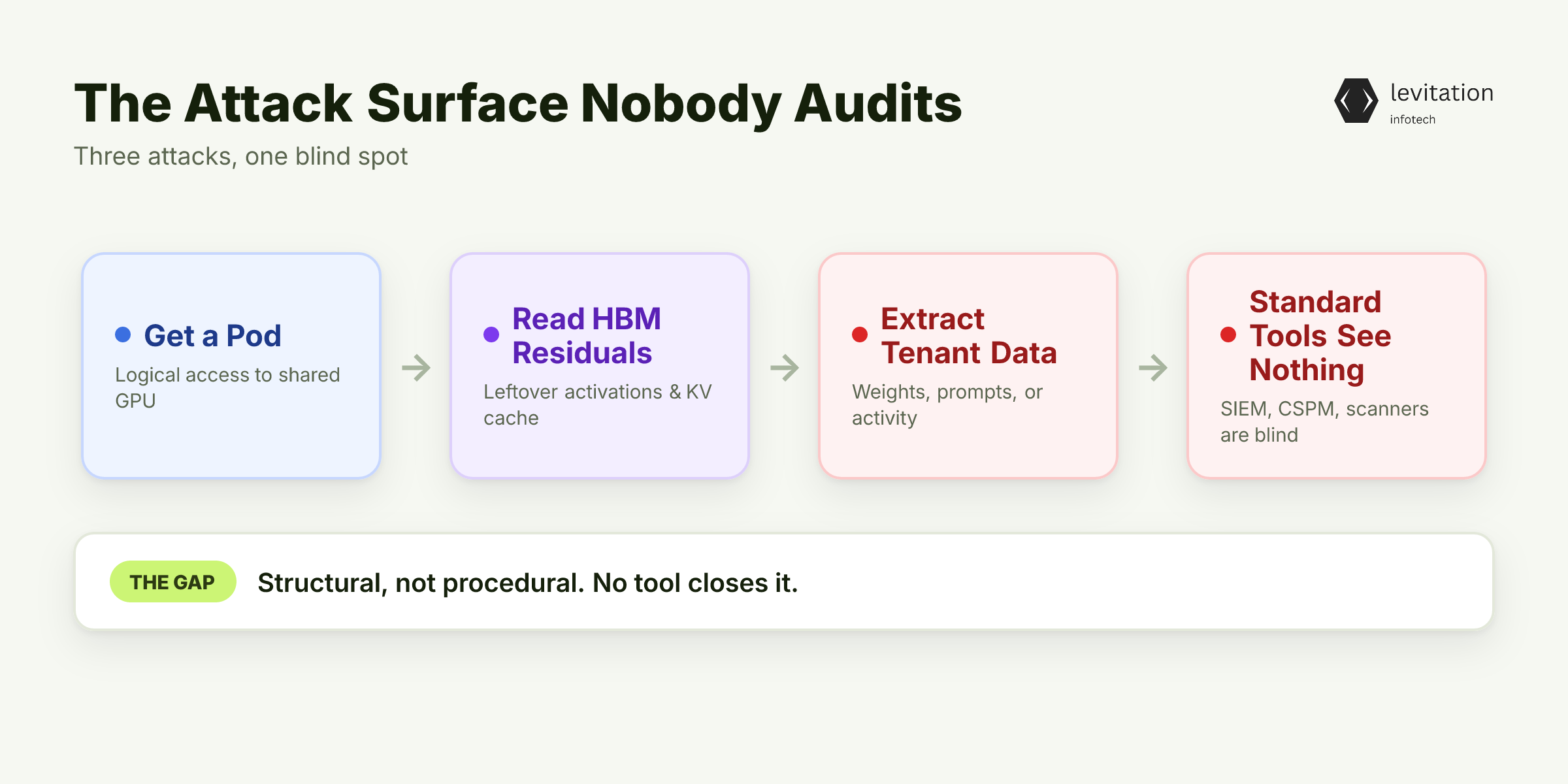
The research demos a menu of attacks. Attackers can recover model weights from leftover activations. They can reconstruct prompts from KV cache fragments. They can fingerprint tenant activity from GPU utilization telemetry.
All three work because the attacker has logical access to the same physical GPU. They do not need root. They need a pod.
Standard security tooling has no visibility into any of this. Your SIEM watches the network. Your CSPM scans the cluster. Your container scanner reads the image manifest.
None of them can tell you what is sitting in HBM after a context switch. HBM is not a file. It is not a volume. It is not a network packet. The audit gap is structural, not procedural. You cannot buy a tool that closes it.
The risk profile for AI/ML training tenants running RAG pipelines is different from dev notebook workloads. RAG tenants fine-tune on customer data. Time-slicing applies the same ConfigMap to both. Regulated tenants and dev tenants cannot share a time-sliced GPU, even with the best intentions.
The operational reality is harsher than the threat model. A curious developer who allocates a small tensor on a shared GPU and reads it back does not need to be a nation-state actor. They need a pod and a few minutes.
Knowing the attack exists is necessary but useless without a decision rule. Here is the one we use when a platform team asks whether time-slicing is safe for their cluster.
When Time-Slicing Is Safe (and When It Gets You Fired)
The short rule: time-slicing is safe when the shared GPU is occupied by tenants who already trust each other. It is unsafe the moment you cross a trust boundary.
Safe use cases: - Single-tenant dev environments (one engineer, one GPU, multiple pods) - Batch training jobs with no PII, no regulated data, and no third-party data - Internal notebook servers where every user is on the same employment contract - CI runners for ML model tests that use synthetic data only
Unsafe use cases: - Multi-tenant inference serving for external customers - Regulated workloads under HIPAA, PCI, FedRAMP, GDPR, or any BAA-bearing contract - Any cluster where tenants can submit arbitrary CUDA kernels or PyTorch models - RAG pipelines that ingest customer documents into a shared embedding service
The MIG alternative on A100 and H100 is not a cost-down choice. It is a security boundary. MIG partitions the GPU into up to seven hardware-isolated instances, each with dedicated compute and dedicated HBM.
A fault in one MIG slice does not cascade. A memory read in one slice cannot reach another slice. That is the property time-slicing does not have and cannot simulate.
You can compose the two cleanly. Apply MIG first to partition an A100 into isolation-grade slices. Then apply time-slicing inside each MIG slice to add replicas within the already-isolated boundary. You get MIG's memory wall plus time-slicing's utilization boost, scoped to a single trust domain.
The ConfigMap looks like this:
1data:2 a100-mig-1g-5gb: |3 version: v14 sharing:5 timeSlicingConfig:6 replicas: 27 migConfig:8 name: "1g.5gb"
Two replicas inside one MIG instance is a much smaller blast radius than four replicas on a raw A100.
The decision matrix gives you the guardrails. The next question is how to extract the remaining savings without crossing them. Most teams leave 30-40% of their optimization on the table here. The same idle-GPU problem that makes time-slicing tempting shows up in every cluster we audit. It is covered in this breakdown of idle GPU cost.
Layering: The 70% Stack That Doesn't Compromise Isolation
The four-layer pattern is the one we run in production. It is also the one we have watched other mature platform teams converge on. Each layer targets a different part of the cost stack, and they compose without cancelling each other's safety guarantees. - Layer 1 - MIG for the isolation-sensitive slice. Right-size the MIG profile to the workload: 1g.5gb for small inference, 3g.20gb for 7B-parameter models, 7g.40gb for full-GPU fine-tuning. This alone recovers 30-50% of GPU hours versus dedicated A100s sitting at 20% utilization. See Kubernetes cost patterns for AI for the matching cluster-side tuning. - Layer 2 - Time-slicing only for the dev and batch slice, where tenants share a trust boundary. Apply the same 4x or 8x replica ConfigMap from earlier. Another 20-30% off the layer-1 baseline. - Layer 3 - Spot instances for preemptible training workloads. 60-70% off the per-hour rate. Accept checkpoint overhead and design your training loops to resume from S3. - Layer 4 - Savings Plans or committed-use discounts on the MIG baseline that runs 24x7. 40-60% off the on-demand rate. The MIG floor is predictable enough to commit against.
Compounded, this stack routinely hits 70%+ total reduction versus baseline dedicated on-demand. Same isolation guarantees. Very different bill. Even autoscaling without bleeding budget stays inside the guardrails the layering enforces on the same fleet.
The configuration is the easy part. The hard part is living with the result for five years without a tenant finding out the hard way what you traded away. Teams that ship infrastructure for regulated workloads treat the layering as a contract, not a default.
What Ships to Production (and What's Worth the Risk)
Time-slicing is a utilization tool, not a security boundary. Treat it with the same scrutiny you would apply to a shared /tmp directory on a multi-user server. It is useful. It is cheap. It is a bad place to put anything you cannot afford to leak.
Across enterprise deployments in regulated industries, the pattern is consistent: - MIG for the isolation-sensitive workloads - inference serving, regulated training, anything touching customer data. - Time-slicing for the utilization-sensitive workloads - dev environments, CI, batch jobs, internal notebooks. - Spot for the preemptible workloads - training that can checkpoint and resume. - Commitments for the floor - the MIG baseline that runs 24x7.
For AI/ML training clusters specifically, the tenant trust model should drive the partitioning strategy, not the other way around. Decide who can share a GPU first. Then pick the GPU sharing mechanism. Reverse the order and you will spend the next six months explaining a side-channel finding to your auditor.
Frequently Asked Questions
Does GPU time-slicing actually reduce AI infrastructure costs?
Yes. Time-slicing alone delivers 20-50% immediate savings by increasing GPU utilization on oversubscribed hardware. The five-scientist T4 example (from $31.56/day to $12.62/day) is a real configuration, not a marketing upper bound. When you layer time-slicing with spot instances and commitments, total reductions routinely exceed 70% versus baseline on-demand.
Is GPU time-slicing safe for multi-tenant inference workloads?
No, not by default. Time-slicing provides no memory or fault isolation between replicas. All tenants share the same physical HBM pool, and KV cache residuals from one tenant can be read by the next. For multi-tenant inference you need MIG (A100/H100) or physical partitioning.
What is the difference between GPU time-slicing and NVIDIA MIG?
MIG partitions the GPU into hardware-isolated instances with dedicated memory and fault domains, up to seven on an A100. Time-slicing creates logical replicas that share memory and take turns on the same physical silicon. MIG is a security boundary. Time-slicing is a utilization feature.
Can I combine MIG and GPU time-slicing in the same cluster?
Yes. Apply MIG to GPUs that serve multi-tenant production inference for hardware isolation, then apply time-slicing to the MIG instances (or to older non-MIG GPUs) for additional replicas within an already-isolated slice. The two compose cleanly in the GPU Operator ConfigMap.
When should I avoid GPU time-slicing entirely?
Avoid it for any workload where tenant data confidentiality is a contractual or regulatory requirement, including HIPAA, PCI, FedRAMP, GDPR, and most enterprise SaaS SLAs. Also avoid it when tenants can submit arbitrary model code, since a malicious kernel can intentionally read prior context state from HBM. Stick to MIG or physical separation for those clusters.
Want a second pair of eyes on your GPU isolation setup? Book a fleet review and we will walk through your trust model with you.
About the author
Mayank Singh is a software developer at Levitation Infotech, where he builds web and AI-powered applications across the company’s fintech, healthcare, and enterprise projects.