


TL;DR: Zoho CRM is one of the best value propositions for small Indian teams, but its per-user-plus-add-on pricing model creates a hard cost ceiling around the 25-30 user mark. Past that threshold, founders face three paths: absorb escalating annual SaaS costs that compound with every seat, migrate to another platform with similar scaling penalties, or build a custom CRM that owns the workflow and breaks the per-seat tax permanently. The right answer depends on four questions most founders never ask before signing the renewal.
Key Takeaways: - Zoho One at $30/user/month looks cheap until module upgrades and Zia AI inflate your effective per-seat cost past 25 users - Migration to HubSpot or Salesforce trades one per-seat penalty for another. The math changes, the trap doesn't. - Custom CRM development eliminates the per-seat scaling penalty entirely and converts CRM into fixed-cost infrastructure - The decision framework hinges on growth trajectory, workarounds count, integration depth, and unique workflow complexity, not vendor features
The ₹14 Lakh Bleed: Where Zoho's Pricing Model Breaks
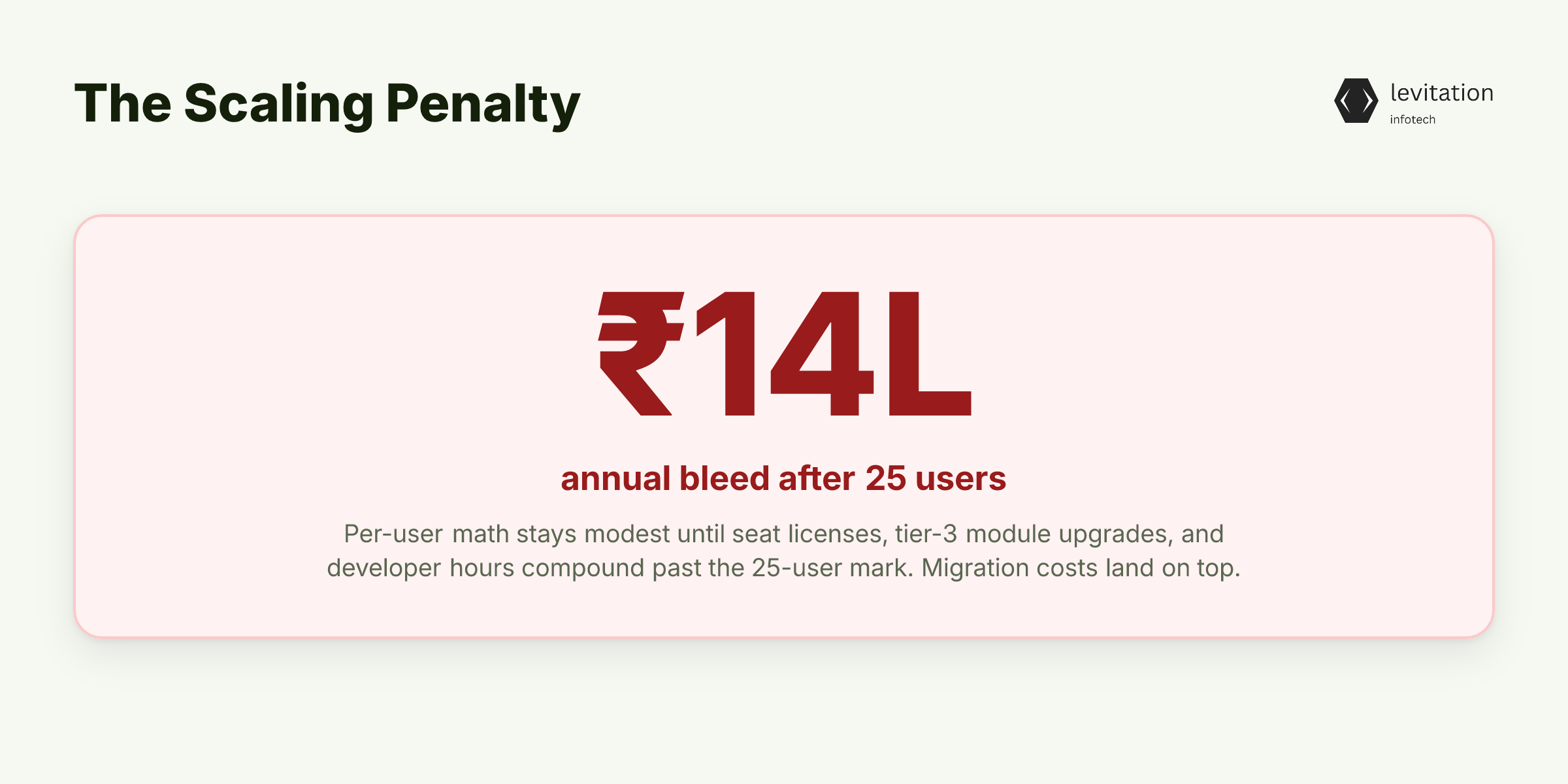
Zoho's pricing page shows a per-user monthly rate that looks modest in isolation. Multiply that across a growing sales floor, then add the modules Zoho locks behind higher tiers. Your "affordable" CRM just became a ₹14 lakh annual line item. Your CFO flagged it last quarter, before migration costs. The ₹14 lakh figure reflects what companies spend after they cross the 25-user threshold and add module upgrades.
Here's the mechanism. Zoho One runs about $30 per user per month and bundles 50+ applications under a single license. At 10 users, that math is genuinely good. You pay a modest monthly sum for an entire business operating system. Zoho has scaled this model without external funding. Revenue hit ₹12,313 crore with 62 million users by end of 2020, growing 18% year-over-year. The product works.
But the model is designed to penalize growth past a specific threshold. Once you cross 25-30 users, three costs compound: seat licenses, module upgrades, and developer hours. Module upgrades cover features like advanced automation and territory management. Developer hours go to stitching workflows that should be native. Add SalesSignals, Zia AI, and premium support to the mix. Your nominal per-user rate multiplies. Each new capability lives behind a tier wall. Upgrading existing seats becomes mandatory, not optional.
Teams running 30-100 users experience the jump as sudden, not gradual. Most don't budget for the tier-3 modules until they're already locked in. Zoho's churn rate dropped from 4.4% in 2015 to 2.9% by 2020. That tells the real story. Customers stay even when costs spike, because migration is harder than paying.
The per-user model isn't a bug. It's the entire revenue architecture. So why does no discount negotiation save you, and where does the architecture break next?
The Per-User Trap: Why Zoho's Architecture Punishes Growth
Zoho didn't build one CRM. It runs dozens of separate products: CRM, Books, Campaigns, Desk, and more. Each was originally designed with its own data model. That fragmented approach shows up the moment you try to scale.
Critical features hide behind tier upgrades: - Advanced automation and custom modules require Enterprise-tier plans - Territory management and complex approval flows need premium licenses - Native integrations between modules often require Zoho Flow or third-party middleware - Each added layer introduces sync latency and another license fee
Compare that to a purpose-built CRM system architecture with one data model and one workflow engine. The difference compounds at scale. At 50+ users, three costs stack: - Seat licenses that scale linearly with headcount - Module upgrades triggered when workflows need capabilities the base tier doesn't offer - Developer hours spent configuring middleware and debugging sync issues
HubSpot was built on a single codebase, which is why its data cohesion gets praised. Zoho's stack requires you to manage multiple data models, reconciliation rules, and integration failures. Your sales team sees a deal record. Your finance team sees a Books record. When they don't agree, someone spends a week reconciling.
So if Zoho's model is structurally hostile to growth past 25 users, what are the actual escape routes? And which one doesn't cost more than the problem?
Three Roads Indian Founders Take at 25 Users (And What Each Actually Costs)
Path 1: Stay on Zoho, accept the bleed. At 50 users with standard modules and Zia AI, your annual spend lands well into seven figures. You cross the ₹14 lakh mark seen at 25-30 users. Costs rise steeply with every added capability tier.
At 100 users, premium tiers and AI features push total cost into territory that most mid-market CFOs would flag immediately. The platform scales. Its pricing model doesn't.
Path 2: Migrate to HubSpot or Salesforce. HubSpot's entry tier is cheaper. But its Enterprise pricing matches Salesforce once you need advanced workflows. Salesforce includes more native functionality at its higher tier. The per-seat penalty is steeper. You're trading one scaling curve for another.
Path 3: Build a custom CRM development project. Higher upfront investment, but predictable annual costs that don't scale with headcount. No per-seat penalty. No module tier games. No vendor roadmap dictating your workflow changes.
What most founders miss in Path 2: the hidden migration tax. Data migration costs depend on record volume, data cleanliness, and custom field complexity. They're never trivial at this scale.
Team retraining takes months. During that window, pipeline velocity drops because reps are learning a new system while trying to hit quota. The CFO sees a "CRM migration cost" line item. The real cost is the deals that slipped through the cracks.
Migration to another SaaS platform just trades one scaling penalty for another. The founders who escape the trap entirely are the ones who stop renting software and start owning it. So what does "owning it" actually look like at 50+ users?
When Custom CRM Development Actually Beats Switching Platforms
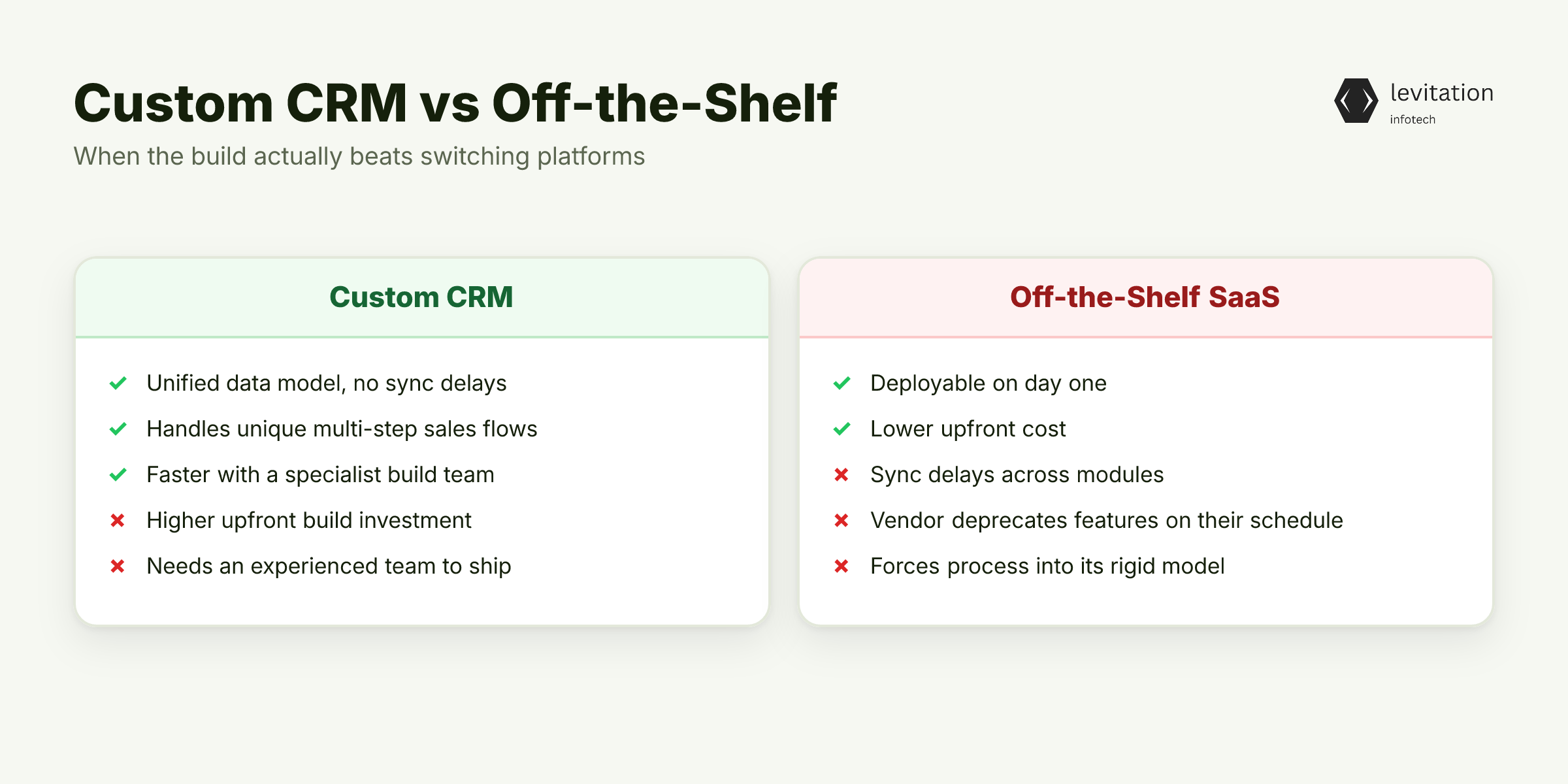
Custom wins when your sales process has 3+ unique steps that no off-the-shelf CRM models well.
Think multi-party deal structures with split commission logic. Think territory-based pricing rules that change quarterly. Think product-configured quoting where the deal record needs engineering and finance data stitched together.
A custom CRM application has one data model, one workflow engine, and zero sync delays. Your sales, ops, and finance teams work off the same record. Quoting, invoicing, and commission splits happen in the same place. No middleware, no reconciliation, no "which version of the deal are we looking at?" moments.
The deployment timeline matters more than founders realize. A focused build through a specialized team moves faster than founders expect. An in-house team attempting the same scope takes much longer. They're solving CRM architecture, sales workflow design, and integration patterns at once. They lack the accumulated patterns a specialist team brings.
The difference is the experience gap between a team that's built dozens of CRMs and a team building their first one. Unlike SaaS platforms that deprecate features on their own schedule, systems still running 5+ years after deployment aren't obsolete. They're compounding infrastructure.
But "build custom" is not the right answer for every founder at 25 users. Here's the framework to know which path fits your actual situation.
The Founder's Decision Framework: 4 Questions Before You Spend a Rupee
Question 1: Will your team exceed 50 users within 24 months? If yes, every month on per-seat pricing is compounding debt. The longer you wait, the more the math penalizes you. Favor ownership over rental when growth is certain.
Question 2: How many "workarounds" do your reps use? If your sales team maintains parallel spreadsheets, exports data to Excel for reporting, or manually re-enters information between systems, your CRM has already failed, Zoho or otherwise. The workaround tax is invisible on invoices but visible in pipeline leakage.
Question 3: Does your workflow require data from systems Zoho can't natively integrate? Integration costs stack faster than licensing at scale. Every middleware connector is another subscription, another sync failure point, another hour of developer time. Custom CRM application development eliminates the integration tax by design.
Question 4: Can you articulate 5+ features that don't exist in any SaaS CRM? If yes, you're not choosing a vendor. You're commissioning software.
The SaaS model fundamentally cannot serve workflows it wasn't designed for. You can configure within their rails, or you can own the rails.
Action step: Get a 2-week scoping engagement to map your actual sales process before evaluating platforms or vendors. Most founders discover their requirements differ from what they initially documented.
The act of mapping reveals steps that were always tribal knowledge. Rigorous scoping is what makes a compressed deployment possible. Zoho's own cost trajectory shows how quickly the "affordable" option becomes the expensive one.
Founders who run this framework don't just save the ₹14 lakh. They unlock something SaaS pricing models structurally cannot offer: a CRM that fits the business, not the other way around. So what does the next 5 years actually look like when the CRM finally fits?
What Growth Looks Like When Your CRM Finally Fits the Business
Cost trajectory: custom CRM converts headcount growth from a tax into a marginal cost. Every new rep adds trivial infrastructure expense instead of another annual seat license. The math flips from a per-headcount penalty to a fixed-cost operation that absorbs growth without punishing it.
Operational gain: one data model means your sales-to-finance handoff has zero latency. When a deal closes, invoicing triggers automatically. Commission splits calculate in the same record. Finance doesn't re-enter anything because there's nothing to re-enter.
Strategic gain: you own the workflow logic. When a competitor hires your top performer, they can't extract your process. It's encoded in your system, not in tribal knowledge. When market conditions shift, change your deal stages in days. Don't wait for a vendor roadmap cycle.
The longevity dividend: systems still running 5+ years after deployment aren't sunk costs. They're compounding assets. Every quarter your team uses the system, the data gets richer. Workflows get tighter. The platform becomes harder to replicate. Every founder considering off-the-shelf options should weigh this: the SaaS you rent today is the same SaaS your competitor can rent tomorrow. The system you own is yours alone.
Frequently Asked Questions
Q: At what point should a growing Indian startup move off Zoho CRM?
A: The trigger isn't a user count. It's a cost-per-feature ratio. Once your annual CRM spend passes the seven-figure threshold and you're still paying for workarounds (parallel spreadsheets, third-party middleware, manual reporting), the per-seat model has failed you. Most NCR-based founders hit this wall between 30-50 users.
Q: How much does custom CRM development cost in India?
A: A focused custom CRM for a 50-100 user team requires real upfront capital, with annual maintenance that stays flat regardless of seat count. Compare that to Zoho or Salesforce at the same scale, where the per-seat model means costs grow with every hire. The break-even point arrives when the avoided seat licenses exceed the amortized build cost, typically in year two or three for fast-growing teams.
Q: Is Zoho CRM suitable for a 50-user team?
A: Technically yes, but financially painful. At 50 users with standard modules and Zia AI, you'll pay multiples of what you paid at 25 users for the same workflow. Each tier upgrade and AI add-on compounds on top of the base seat cost, making the per-seat model increasingly hostile to growth at this scale.
Q: How long does it take to build a custom CRM from scratch?
A: A focused custom build through a specialized team takes a few months. An in-house team attempting the same scope needs much longer because they're solving CRM architecture, sales workflow, and integration patterns simultaneously. They lack the pattern library a specialist team brings.
Q: What's the cheapest Zoho CRM alternative for a 30-person sales team?
A: HubSpot's entry tier is cheaper than Salesforce, but its Enterprise pricing converges with Salesforce once you need advanced workflows. Other SaaS alternatives like Pipedrive cost less per seat but lack the automation depth growing teams need. The real cost question isn't cheaper per seat. It's cheaper at scale, and every per-seat model fails that test once headcount crosses 50.
Map your actual sales workflow before your next renewal date; the answer is usually clearer than the renewal pressure suggests.
Sources
Research and references cited in this article:
- Zoho CRM Pros and Cons: Unpacking a Top-Tier CRM- SupportYourApp Blog
- Zoho CRM Free Plan Limitations vs Paid 2026
- Zoho CRM Review 2026:Pricing & Features
- What is Zoho CRM? Features, Pricing, and User Reviews (2026) - Zeeg
- Zoho CRM vs Salesforce 2026: Pricing, Free Plan & Review
- CRM Alternatives | Why is Zoho CRM the best alternative to other CRM Software?
- Zoho became a $6B startup out of India without raising a single dollar ...
- Zoho: The Indian SaaS Challenger to Microsoft, Google & Salesforce!
- Zoho Corporation : How a Bootstrapped Vision Became a Global SaaS Powerhouse - World Economic Magazine India
- Zoho's ₹12000 Crore Milestone: The Bootstrapped Indian ...
- Top 10 Zoho CRM Alternatives in 2026
- Zoho CRM vs Salesforce CRM: Which is Best for Your Business in India? (2026 Expert Guide) - a3ca.com
About the author
Mayank Singh is a software developer at Levitation Infotech, where he builds web and AI-powered applications across the company’s fintech, healthcare, and enterprise projects.