


TL;DR: Indian real estate brokerages buy enterprise CRMs with dozens of fields per record. Then they watch brokers log leads on WhatsApp and Excel. The brokers are right. A practical real estate pipeline runs on five to six stages and about six data points. The fix is a lean custom CRM built around broker workflow, not vendor feature checklists.
Key Takeaways: - Enterprise CRMs fail NCR brokers because input friction outweighs the data brokers care about. - A practical solo-agent pipeline (New Lead, Contacted, Consultation, Active, Under Contract, Closed) maps to six fields, not dozens. - Custom six-field CRMs deploy far faster than in-house teams usually achieve, and beat enterprise CRMs on adoption.
The Field-Count Paradox: Why More Features Mean Lower Adoption
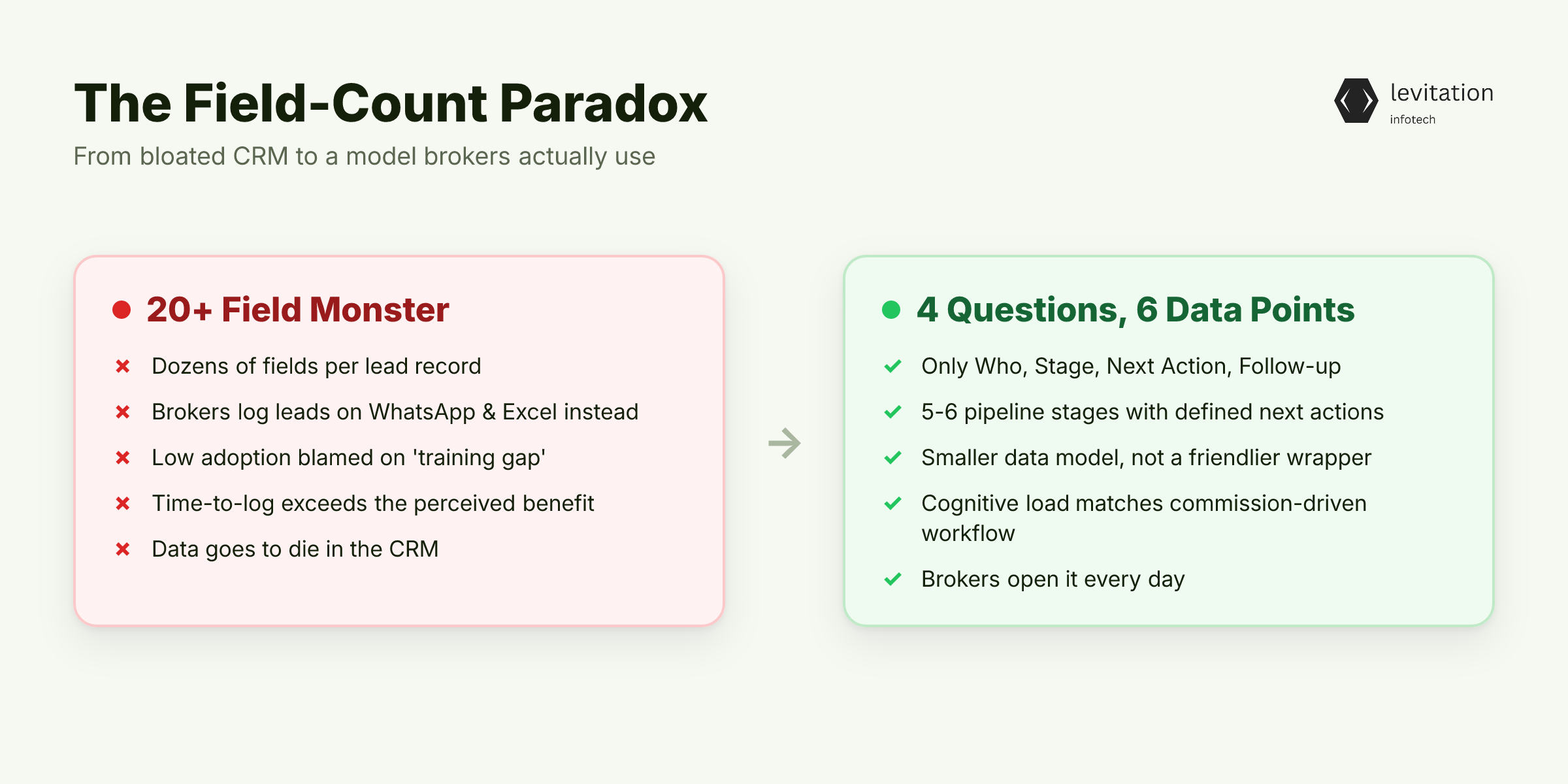
You spent enterprise budget on a crm system. Your brokers log leads on WhatsApp, update Excel sheets, and call the office to ask "what's the status of site XYZ?" The overstuffed monster you bought gets used for a fraction of its fields. That is a feature-failure problem, not a training problem.
Most enterprise CRMs ship with dozens of fields per lead record. Name, email, phone, alternate phone, company, title, source, campaign, medium, term, content, lead score, owner, territory, industry, annual revenue, employee count, address, city, state, zip, country.
Each field looks harmless in isolation. Together they form a form no broker on commission will ever fill out at a construction site.
The research is blunt. A practical pipeline for a solo residential agent has five to six stages: New Lead, Contacted, Buyer/Seller Consultation Scheduled, Active, Under Contract, and Closed.
Every lead gets a stage. Every stage has a defined next action. That is the entire working model.
Consider what that pipeline really answers. Four questions: - Who is the lead? - What stage are they in? - What is the next action? - When is the follow-up?
Four questions. Six data points. The other fields on your form are noise that brokers have learned to bypass.
Operations heads treat low CRM adoption as a training gap. The data tells a different story. It is a cognitive overload gap.
Every extra field increases time-to-log. Brokers on commission stop logging the moment the time cost exceeds the benefit. The CRM becomes a place where data goes to die. The operations head is left chasing brokers for WhatsApp screenshots every Monday.
But here is the trap. Buying a simpler CRM does not fix it. The next vendor sells you the same complexity in a friendlier wrapper.
So what does a CRM that brokers open every day look like? The answer is a smaller data model, not a friendlier wrapper.
Why Salesforce, Zoho, and Dynamics All Fail the NCR Broker
Generic CRMs were built for the average enterprise sales motion. Long cycles. Large teams. Formal approvals. Quarterly forecasts reviewed by VPs who have never visited a site.
NCR real estate deals close on short cycles, with informal decision-makers who can walk away after a single site visit. The shape of the work is wrong for the tool.
The failures stack up in three places.
First, language friction. Most off-the-shelf CRMs don't support Hinglish, regional property terms like BHK, carpet area, or super built-up, or the specific fields Indian transactions need. A broker in Gurgaon types "3BHK ready to move" into a free-text notes field because the stage dropdown has no option that fits.
Second, mobile reality. Most broker activity happens on a phone, in a car, between site visits. A zoho crm interface designed for a desktop sales rep at a corporate office is unusable on a 6-inch screen at a construction site.
Buttons get cut off. Dropdowns don't open. The save button hides at the bottom of a scroll-heavy form.
Third, the configuration workaround. Teams that try to adapt these tools spend months building custom objects, custom fields, and custom workflows. That work is a bad salesforce development project in disguise. You pay enterprise prices to bend an enterprise tool into something a focused build would have delivered faster. For more on why this pattern repeats across Indian deployments, see Why 6 of 10 Indian CRM Projects Hit 2x Budget.
The research points to a small set of fields, and the list is shorter than any vendor will admit.
The Six Fields That Drive Deal Velocity
A real CRM for a broker answers four questions: who, stage, next action, follow-up date. It supports two more for reporting: property interest and lead source. That is the entire data model. Six fields, not dozens.
Here is the full list, and why each one earns its place. - Contact plus one-tap call and WhatsApp. This is the broker's job. Replace the "I forgot to follow up" problem by making the next action one tap from the lead record. - Pipeline stage, a forced dropdown, no free text. "Almost closed" is not a stage. Lock the options to the six documented ones: New Lead, Contacted, Consultation Scheduled, Active, Under Contract, Closed. - Next action with mandatory date. The single highest-leverage field for broker accountability. If the field is empty, the lead is stalled, and the CRM should make that visible without anyone running a report. - Property interest: project, unit type, budget band. Not 14 dropdowns. Just three fields, enough to match the lead to inventory. - Lead source. Which portal, which channel, which referral. Only matters for ROI tracking, not for managing the deal itself. - Last interaction timestamp. Auto-populated, not typed. The system writes this. The broker never touches it.
The honesty here matters. A focused crm application built around these six fields captures everything that drives deal velocity, and ignores everything that doesn't. The same pattern shows up across Indian SMEs more broadly, see Most Indian SMEs Need Six Features, Not ₹15 Lakh Software.
If six fields are enough, why do vendors keep selling dozens more? Because configuration is billable hours, and the real money is in the custom crm application work that follows.
The Configuration Trap: Why Bolting On Fields Doesn't Work

Most operations heads respond to low adoption by adding training sessions, dashboards, or gamification. Badges, leaderboards, "broker of the month."
None of it works. The bottleneck is input friction, not output visibility. Brokers will not log more data because you gave them a better report. They will log more data because the log itself got faster.
Every field you add to a lead form reduces completion rate. Form-design research is consistent on this. Each optional field increases the friction of completion, and the effect compounds across the form.
In a CRM context, a field-heavy form gets abandoned long before the broker reaches the save button. They open the app, see the wall of inputs, and close it. The lead gets logged later on WhatsApp, or never.
Custom objects in Salesforce or Dynamics 365 are powerful but expensive. The per-user licensing and admin overhead stack up, and you still get the same bloated interface. The operations head pays for the privilege of building a worse version of the thing they should have built from scratch.
The honest answer: a custom crm built around six fields outperforms a configured enterprise CRM on adoption, data quality, and broker satisfaction. No configuration fixes the wrong starting point.
That sounds expensive. It isn't, and the deployment timeline is shorter than in-house teams claim. A focused six-field custom crm deploys far faster than in-house teams without prior CRM product experience run, because those teams underestimate the mobile UX and integration work. The difference is the difference between building a product and configuring one.
So what does the build sequence look like for an NCR brokerage ready to commit?
Building the Six-Field CRM: A 90-Day Roadmap for NCR Brokerages
The 90-day roadmap is not theory. It is the sequence teams that ship use. - Weeks 1-2: Shadow five brokers for a full week. Log every field they use. You'll find the answer is six to eight, not dozens. Watch what they write on paper, on WhatsApp, and in their heads. That is your real schema. - Weeks 3-4: Define the pipeline stages and the six required fields. Lock them. No exceptions, no "just in case" additions. If a field is not on the list, it does not ship. - Weeks 5-8: Build the [crm app](/crm-development). Mobile-first, Hinglish UI, WhatsApp integration for lead capture, one-tap stage update. The interface should feel like a messaging app because that is the tool brokers trust. - Weeks 9-10: Integrate with the three portals that matter: 99acres, MagicBricks, Housing.com, plus your existing WhatsApp Business API. Lead arrives, broker gets notified, broker taps to acknowledge. The crm integration layer over your existing ERP or Tally is cheaper than replacing them. - Weeks 11-12: Pilot with one team. Measure daily active users, time-to-log, and lead-to-site-visit conversion. Iterate on the three fields brokers still skip. They will tell you which ones.
This is the work of crm software development done as a product, not a configuration project. The speed advantage is real. A focused build ships far faster than an in-house team that has never built a CRM before. For a deeper look at why in-house teams underestimate this work, see Your CRM Budget Is Sabotaging Delivery.
So what changes when brokers stop fighting the software? The shift is blunt.
What Changes When Broker Adoption Rises
The benchmark for Indian real estate brokerages on enterprise CRMs sits at low daily active usage. That is the outcome you should expect if you buy a field-heavy tool.
Brokerages that rebuilt their workflow around a six-field mobile-first CRM see brokers open the tool daily, because logging no longer fights the way brokers work. The gap is interface design, not broker willingness.
What that looks like in practice: - Lead response time falls to minutes. In NCR real estate, response speed is the single biggest conversion lever. A lead reached quickly converts at a fundamentally different rate than one left waiting. - The operations head gets a real-time view of pipeline without chasing brokers for WhatsApp screenshots. The Monday meeting becomes a review, not a reconstruction. - Forecast accuracy improves because stage data is current, not "updated Sunday night before the Monday meeting." Forecasts built on current stage data are forecasts. Forecasts built on Friday-night batch updates are guesses. - Broker turnover cost drops because new joiners ramp in days, not weeks. A six-field interface can be learned in a single sitting. A field-heavy interface takes far longer, and most brokers never get there.
This pattern is not unique to one brokerage. Teams that have made this shift across regulated and high-velocity industries report the same adoption curve: low initial trust, fast recovery once brokers see the tool works on a phone. That is the consistent outcome.
The practical questions operations heads ask next usually come down to cost, timelines, and portal integration.
Frequently Asked Questions: Real Estate CRM Decisions for Indian Brokerages
How long does it take to build a custom CRM for a real estate brokerage in India?
A focused six-field CRM for a single brokerage or builder deploys in months with a dedicated team. It moves far faster than the multi-year timelines in-house teams without prior CRM product experience run, because those teams underestimate the mobile UX and integration work. The difference is the difference between building a product and configuring one.
Can a custom CRM integrate with 99acres, MagicBricks, and Housing.com lead APIs?
Yes. All three portals expose lead APIs or webhook integrations that funnel inquiries into a CRM in real time. A properly built custom CRM captures the lead, auto-assigns by territory, and triggers a WhatsApp template to the broker immediately. That is the response window that converts NCR leads.
Is a custom CRM more expensive than Salesforce or Zoho at our scale?
At under 50 users, a custom CRM built around six fields costs less annually than Salesforce Sales Cloud or Zoho CRM Premium. Factor in per-user licensing, admin overhead, and the custom object work you will need. Above 100 users, the math depends on feature complexity, but a focused build almost always wins on adoption rate, which is the real cost driver.
Do we need to build RERA compliance fields into the CRM?
You need to capture and store RERA-mandated disclosures like project registration number, carpet area versus super built-up, and buyer agreement status. These belong in transaction documents, not the broker-facing CRM. A well-designed system surfaces RERA fields only at the contract stage, not on the daily lead-log screen. This is the kind of workflow logic custom dynamics 365 alternatives or fully custom builds enable.
What is a realistic CRM adoption rate for brokers in NCR real estate?
Industry benchmarks for Indian real estate brokerages show low daily active usage on enterprise CRMs. Brokerages that rebuilt their workflow around a six-field mobile-first CRM see daily active usage rise because the tool fits how brokers work. The gap is interface design, not broker willingness.
If a six-field CRM built around broker workflow fits your brokerage, the next step is a one-week shadow study with five brokers. That's the cheapest way to see the real schema before you spend a rupee on software.
About the author
Mayank Singh is a software developer at Levitation Infotech, where he builds web and AI-powered applications across the company’s fintech, healthcare, and enterprise projects.